


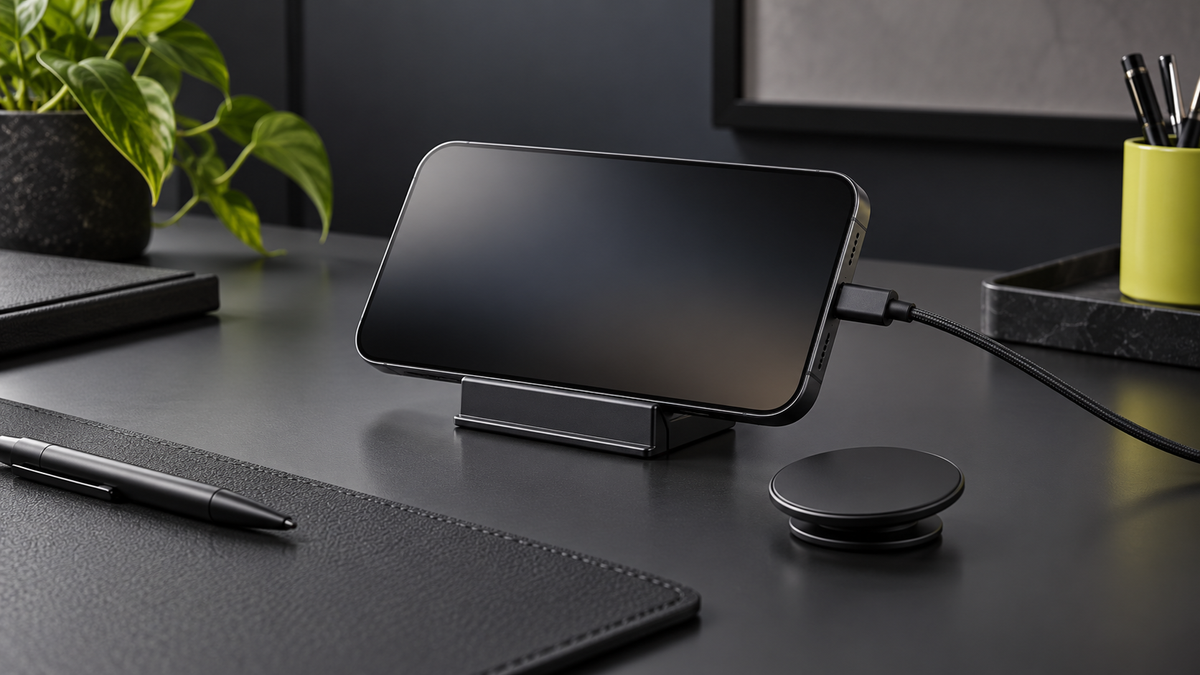
A useful phone setup should work through an ordinary day: picking the phone up, putting it down, checking the time and charging before you leave. It does not need a desk full of accessories. It needs a clear place for the phone and a routine that does not fall apart when you switch from handheld use to a stand.
For an iPhone, StandBy can make that resting place more useful. A detachable magnetic grip can serve a different part of the day. Plan the two together, then check the complete setup rather than assuming every accessory combination will work.
Start with what you want to see
Decide what the phone should do while it sits on your desk. Perhaps you want an easy-to-read clock, a few widgets or a place to glance at the screen between tasks. Put that goal ahead of choosing a stand by appearance alone.
Try the position while sitting in your normal chair. A phone pushed behind a monitor looks tidy but is hard to see. One directly beside your mouse may be easy to reach but constantly in the way. Test a couple of spots before routing the cable permanently.
Understand the StandBy basics
Apple’s StandBy guide says to enable StandBy in Settings, connect the iPhone to a charger, place it stationary on its side and press the side button. You can then move between clock, photo and widget views. Display behavior depends on the iPhone model and settings; a screen that does not remain continuously lit is not automatically a stand problem.
The practical distinction is simple: supporting the phone and supplying power are separate jobs. A grip or non-powered stand does not charge the phone merely because it holds it sideways.
Choose a cable routine or a charging-stand routine
With cable charging, first check that the connector is accessible when the phone is supported in landscape orientation. Leave a comfortable bend in the cable and enough slack to pick up the phone without dragging the stand. A cable pulled taut across the desk makes a simple setup irritating to use.
With a wireless charging stand, check the charger’s compatibility with your exact phone and case. Confirm that the phone sits correctly and that charging starts. A magnetic attachment by itself is not confirmation that power is being delivered.
Keep the charger maker’s instructions in charge of the charging arrangement. If an accessory prevents correct seating or charging, remove it and check the basic phone-and-charger combination before adding parts back. Do not stack accessories to solve an alignment problem.
Give the grip a defined role
A detachable grip is useful when you want to change the way you hold the phone without committing to one permanent arrangement. Decide whether it belongs on the phone during desk use or in a small tray beside the stand.
The Luxi Snap Grip product page describes a slide-open grip and kickstand function. If you want to use that support position, check the actual phone, case, orientation and surface together before relying on it. A viewing angle that suits a bedside table may not suit a tall desk.
Start your charging check with the simplest arrangement recommended by your charger manufacturer. Accessory compatibility is a complete-system question, and this guide is not a charging-speed or charge-through performance test.
Check the case before blaming the grip
The case controls the fit against the phone and the surface presented to the accessory. Use a case made for your exact phone model and check its stated magnetic compatibility. A similar-looking camera opening or model name is not enough to establish the fit.
If you are choosing between case formats, our MagSafe case guide explains the purpose of the magnetic arrangement. The Solid Black MagSafe Thin Magnetic Case is one option to compare in the correct model variant.
Look at the complete edge profile too. A stand’s lower lip must accommodate the case, and its supports should not press buttons. Try ordinary taps and swipes with a hand ready to steady the phone before leaving it unattended.
Run a one-minute daily-use test
- Set the phone down in the position you expect to use.
- Check that the screen is readable from your chair.
- Confirm charging on the phone rather than judging by attachment.
- Pick it up, use it and put it back without rearranging the desk.
- Make sure the detached grip has a place where it will not disappear.
If one step is awkward, change one thing at a time: the position, cable route, stand or accessory arrangement. Buying another accessory before identifying the awkward step often creates more clutter.
Keep the setup easy to leave
The best desk routine is one you can undo quickly. Keep your travel cable separate if you frequently pull the desk cable out, and place the grip where you naturally reach when leaving.
A good setup feels uneventful: the phone rests where you can see it, charging is easy to confirm, and the grip is ready when you pick the phone up. That is a more useful target than squeezing every accessory into the same stack.
Share:
Aramid Fiber Phone Cases: What They Are, Kevlar vs Carbon Fiber, and Who They're For
New iPhone Case? Five Fit Checks Before Everyday Use