


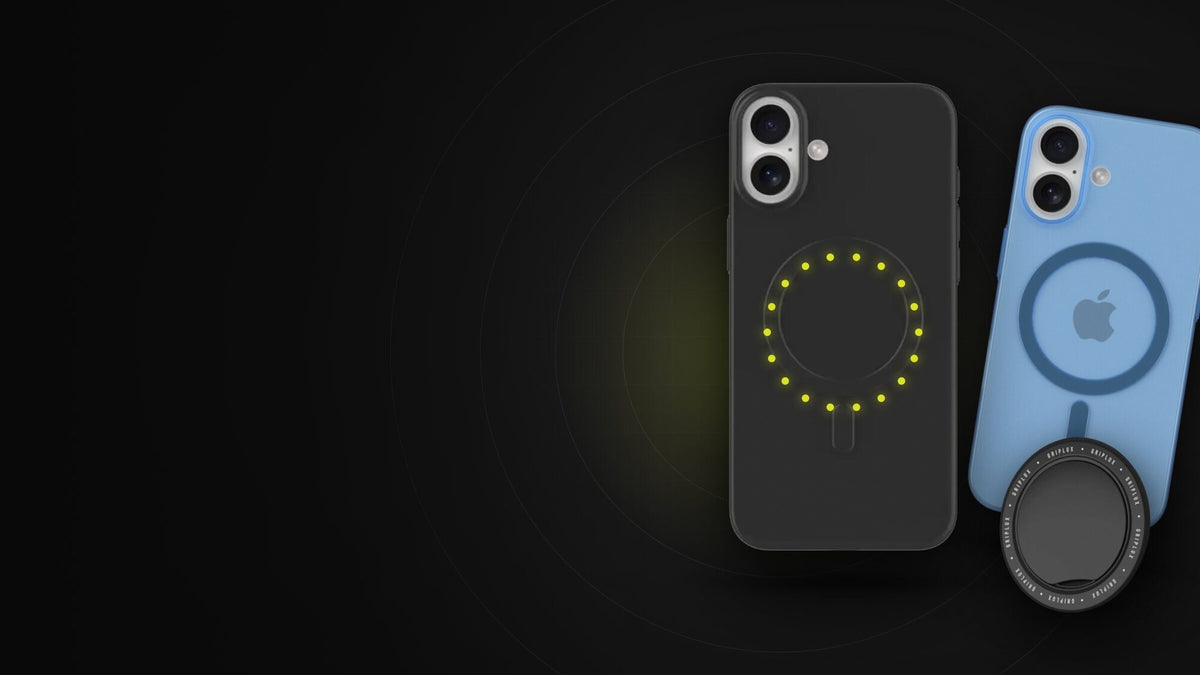
"MagSafe case" gets printed on half the iPhone cases for sale, and it means two different things depending on who wrote the listing. One kind has magnets in it. The other kind just doesn't block the charger. That difference decides whether your wallet, grip or car mount stays on the phone or ends up under a car seat.
A MagSafe case is an iPhone case with its own ring of magnets built into the back, lined up with the MagSafe magnets inside iPhone 12 and newer. Those magnets carry the connection through the case, so MagSafe chargers, wallets, grips, stands and car mounts snap into place and stay there.
A regular case without magnets still lets wireless charging through, but it puts a plastic gap between your iPhone and the accessory, and most of the magnetic hold disappears with it.
What is a MagSafe case, exactly?
Start with the phone. Since the iPhone 12 in October 2020, Apple has built a MagSafe system into the back of every mainline iPhone. Apple's own spec sheet for the new iPhone 18 Pro lists the four parts plainly: a magnet array (the ring), an alignment magnet (the small one below the ring that keeps accessories from spinning), accessory identification NFC, and a magnetometer so the phone knows when something has attached.
The ring sits around the wireless charging coil. That's the whole trick: if a charger's magnets lock onto the ring, the charger's coil lands dead center over the phone's coil every time. Centered coils charge faster and waste less energy as heat than a pad you drop the phone onto and hope.
Now put a case on. Even a thin shell adds a millimeter or so of plastic between the phone's magnets and whatever you're attaching, and magnetic pull drops off steeply as that gap grows. A MagSafe case fixes this by carrying its own magnet ring in the same position. The phone's ring grabs the case's ring through the shell, and the case's ring grabs the accessory from the outside. The case becomes part of the magnetic path instead of an obstacle in it.
Inside a MagSafe case: back view and side view
The case's ring mirrors the iPhone's. The small tab below it is the alignment magnet that stops wallets and mounts from rotating.
Simplified, not to scale. Apple's official cases also include an NFC tag so the phone plays a matching color animation when you snap the case on; most third-party cases skip it, and it has no effect on hold or charging.
That last detail trips people up. The NFC chip in Apple's own cases is what makes the colored circle appear on screen. It's a nice touch. It does nothing for how firmly a wallet holds or how fast the phone charges, so its absence from a third-party case is not a defect.
Will it stick? Will it charge? Check your setup
Most confusion comes from mixing three separate questions: does my iPhone have MagSafe, does my case pass it through, and what kind of accessory am I using. Pick all three and this checker answers from Apple's published charging specs for each model.
Will my accessory stick and charge through this case?
Charging figures are Apple's rated maximums for each model. Real-world speed also depends on the adapter behind the charger.
MagSafe case vs regular case: what changes
Here is the practical difference, assuming an iPhone that has MagSafe built in. The "thin case" column means a slim case with no magnets, around a millimeter thick, which is what most "ultra thin" cases are.
| What you want to do | No case | MagSafe case | Thin case, no magnets | Rugged / folio |
|---|---|---|---|---|
| Snap on a MagSafe charger | Yes | Yes | Weak hold | Usually no |
| Charge at full MagSafe speed | Yes | Yes | If it stays centered | Slow or none |
| Keep a MagSafe wallet on in a pocket | Yes | Yes | Slides off | No |
| Hang from a magnetic grip one-handed | Yes | Yes | Not safely | No |
| Ride a magnetic car mount over bumps | Yes | Yes | Drops | No |
| Protect the phone | None | Yes | Scratches, light drops | Most |
"Weak hold" means it may sit on a flat desk charger but lets go if you pick the phone up or bump the table. Rugged cases vary; some add their own magnet ring, which moves them into the MagSafe column.
Notice what a MagSafe case doesn't change: it doesn't make the phone charge faster than the phone's rated maximum. An iPhone 15 tops out at 15W on MagSafe no matter what case it's in. What the magnets do is protect the conditions for that speed: the charger stays centered and stays attached.
"MagSafe compatible" is not the same as a MagSafe case
This is where listings get slippery. "MagSafe case," "MagSafe compatible" and "works with MagSafe" get used as if they mean the same thing. They don't:
"MagSafe compatible" means MagSafe accessories will snap on.
The case is thin enough that a MagSafe charger can still charge through it. No magnets required, and none included.
We sell both kinds, so we'll use our own catalog as the example. Our Ultra Thin cases have no magnets. They're built to be as thin and light as a case can be (we list them at 0.2 oz), and a MagSafe charger charges right through them. But a MagSafe wallet will slide off one. Our MagSafe cases have a magnet ring molded into the back, which is why they're the ones we point people to if a grip, wallet or mount is part of the plan.
The words that actually signal magnets are "magnetic," "built-in magnets," "N52," a magnet count, or a visible ring printed on the back. If a listing says only "compatible," assume it's the charge-through kind until the seller says otherwise.
Do you need a MagSafe case?
Not everyone does. If your iPhone lives on a charging cable and you never plan to attach anything, a MagSafe case is a few grams of magnets you're carrying for no reason. If you use even one magnetic accessory, it's the difference between that accessory working and not. Three questions settle it.
Do I need a MagSafe case?
Answer three questions. If your model is one we make cases for, the matching size gets preselected in the product cards below.
The downsides of MagSafe cases
We sell these, so here are the trade-offs we'd want to hear before buying one.
- Cards and key fobs. Apple's own support page tells you not to put credit cards, security badges, passports or key fobs between your iPhone and a MagSafe charger, because it can damage magnetic strips or RFID chips. The same logic applies to a folio case with a card slot over the magnet ring. Chip-and-tap cards are far less fussy than old magstripes; hotel key cards are the usual casualty.
- Medical devices. Apple recommends keeping an iPhone and its MagSafe accessories at least 6 inches (15 cm) from implanted devices such as pacemakers, and 12 inches (30 cm) while wirelessly charging. A magnet case adds magnets to that equation, so the same distance applies. Ask your physician about your specific device.
- A little bulk. The ring adds material. A good thin magnetic case stays within a fraction of a millimeter of a non-magnetic one, but it won't match the thinnest shells.
- Metal clutter. A magnet ring will grab paper clips, bobby pins and the metal plate a previous car mount left on the dashboard. Minor, but real.
- Price. Magnets cost money. Expect to pay a few dollars more than for the same case without them.
One thing that is not a downside: MagSafe cases don't drain your battery. The magnets are passive. They don't draw power, and they don't interfere with normal phone use. If anything they help wireless charging run cooler by keeping the charger centered, since a misaligned coil turns more of its power into heat. We covered the battery side in more detail in does MagSafe charging damage battery health.
Can you use a MagSafe case on an iPhone without MagSafe?
Yes, with a catch. On an iPhone 11, an iPhone SE, or the iPhone 16e (which Apple shipped without MagSafe), a MagSafe case gives accessories something to stick to, so a wallet or grip will hold. The phone itself still only charges wirelessly at standard Qi speed, which is 7.5W on those models, and the case's ring isn't guaranteed to sit exactly over the phone's charging coil. Treat it as a way to use magnetic accessories, not as a way to add MagSafe charging.
If you're not sure which camp your phone is in, our model-by-model MagSafe checker answers it in one click, including the iPhone 17e (which does have MagSafe) and the 16e (which doesn't).
What about Qi2? Do MagSafe cases work with Qi2 chargers?
They do. When the Wireless Power Consortium announced Qi2 in January 2023, it built the new Magnetic Power Profile on MagSafe, with Apple contributing the design. A Qi2 charger uses the same magnet ring geometry, so it snaps onto a MagSafe case the same way an Apple charger does. The differences between the two are about certification and wattage, not about magnets; Qi2 vs MagSafe walks through exactly where they differ.
How to tell if a case is really a MagSafe case
- Look for the ring. Most magnetic cases show it: a printed or molded circle on the back, often with a small tab or line below it. That tab is the alignment magnet. A case with no ring and no mention of magnets is almost certainly the charge-through kind.
- Read for magnet words, not compatibility words. "Magnetic," "built-in magnets," "N52" or a magnet count are commitments. "Compatible" alone is not. Our MagSafe Thin Magnetic case, for example, is listed with a 36+1 N52 array: 36 magnets in the ring plus one alignment magnet.
- Do the lift test. Snap a MagSafe charger or wallet onto the case, then lift the phone by the accessory a few centimeters off the table. A real magnetic case holds; a non-magnetic one drops it.
- Check for rotation. Twist a snapped-on wallet gently. With an alignment magnet it springs back upright; without one it spins freely. Car mounts need this most.
Our MagSafe cases (and the one that isn't)
Every GripLux case below fits the iPhone 14, 15 and 16 families. We don't make cases for the iPhone 17, Air, 17e or 18 yet, and we'd rather tell you that here than have you find out at checkout. If you're on one of those, the buying checklist above still applies to whatever case you choose.

Magnetic · thinnest MagSafe case we make
MagSafe® Thin Magnetic Case
$31.99
- Built-in 36+1 N52 magnet ring with alignment magnet
- Listed at 0.6 mm thin, matte finish, 1:1 cutouts
- Pairs with any MagSafe or Qi2 charger, wallet, grip or mount
Free shipping on every order. Fits iPhone 14 Pro, 14 Pro Max and every iPhone 15 and 16 model.

Magnetic · grippier finish
MagSafe® Rubberized Magnetic Case
$34.00
- Magnet ring built in, rubberized silicone surface
- Listed at 1.2 mm, more drop cushion than the thin case
- Black in most iPhone 14 to 16 sizes

For people who attach nothing. MagSafe chargers charge through it; magnetic accessories won't hold.
Shop Ultra Thin
The accessory most people buy a MagSafe case for. 14.4 g, 2.8 mm folded, rotates 360°.
See the gripCase plus grip, one checkout.
A MagSafe case is only as useful as what you stick on it. The Luxi Snap Grip folds to 2.8 mm and snaps off when you want to charge.
MagSafe case FAQ
What's the point of having a MagSafe case?
It keeps MagSafe working with a case on. Your iPhone has a magnet ring built in, but any case puts plastic between that ring and your accessories. A MagSafe case carries its own ring in the same spot, so chargers self-align and wallets, grips and mounts hold as if the phone were bare.
What are the disadvantages of MagSafe cases?
They're slightly thicker and pricier than the same case without magnets, they attract small metal objects, and like the phone itself they can damage magnetic-stripe cards and should be kept 6 inches from implanted medical devices (12 inches while wirelessly charging), per Apple. They don't drain the battery.
What is the difference between a MagSafe case and a regular magnetic case?
A MagSafe case places its magnets in a ring that matches the iPhone's MagSafe ring and charging coil, usually with an alignment magnet below. Older "magnetic" cases often use a flat metal plate or scattered magnets meant for car vents, which can block wireless charging and don't align anything.
Do MagSafe cases drain battery?
No. The magnets are passive and use no power. The NFC tag in Apple's own cases is passive too; the phone reads it once when you attach the case. Keeping a wireless charger centered actually reduces wasted heat compared with a misaligned pad.
Do I need a MagSafe case to use a MagSafe charger?
Not strictly. A MagSafe charger will charge through most thin cases without magnets. The problem is hold: without magnets in the case, the charger can slide off center or fall off when you pick the phone up. A MagSafe case makes the connection as firm as a bare phone.
Will a MagSafe case damage my credit cards?
It can affect magnetic-stripe cards and hotel key cards that sit right against the magnet ring for long periods, which is why Apple warns against placing cards between the phone and a MagSafe charger. EMV chip and tap-to-pay functions are much more resistant. MagSafe wallets are designed to shield cards from the ring.
Can you charge wirelessly through a MagSafe case?
Yes. That's the point of the ring: the charger locks onto it and lands centered over the phone's coil, so you get the full rated speed for your model, up to 25W on the iPhone 17 and 18 Pro lines (22.5W to 25W on the iPhone 16 family) with a 30W or larger adapter.
Do MagSafe cases work on the iPhone 16e or iPhone 11?
The case's magnets will hold accessories, but those phones don't have MagSafe, so wireless charging stays at standard Qi speed (7.5W) and alignment with the coil isn't guaranteed. The iPhone 17e is different: it does have MagSafe, at up to 15W.
Are MagSafe cases and Qi2 cases the same?
For practical purposes, yes. Qi2's magnetic profile was built on Apple's MagSafe design, so the magnet ring geometry is shared and a Qi2 charger snaps onto a MagSafe case normally. Certification and top charging speed are where the two standards differ.
Keep reading
Troy BaconTroy runs GripLux, a small accessory brand owned by Global Trading Partners LLC (ownership details). GripLux sells MagSafe cases, grips and chargers, which is why this guide tells you when you don't need one.
Sources
- Apple, iPhone 18 Pro technical specifications (MagSafe components; MagSafe and Qi2 up to 25W).
- Apple Support, How to use your MagSafe Charger with iPhone (cards, badges and key fobs; adapter requirements).
- Apple Support, About potential interference with medical devices.
- Apple Newsroom, Apple introduces iPhone 17e (MagSafe up to 15W vs 7.5W Qi on iPhone 16e).
- Wikipedia, MagSafe (wireless charger) (model support and wattage history).
- 9to5Mac, WPC works with Apple on new Qi2 standard based on MagSafe (Jan 3, 2023).
- MacRumors, iOS 26 adds 25W Qi2 support to iPhone 16 models.
Share:
Forest Black vs Solid Black MagSafe Thin Magnetic Case: Which to Pick?
Qi2 vs MagSafe: What's Actually Different in 2026 (Qi2.2, 25W and Which to Buy)