


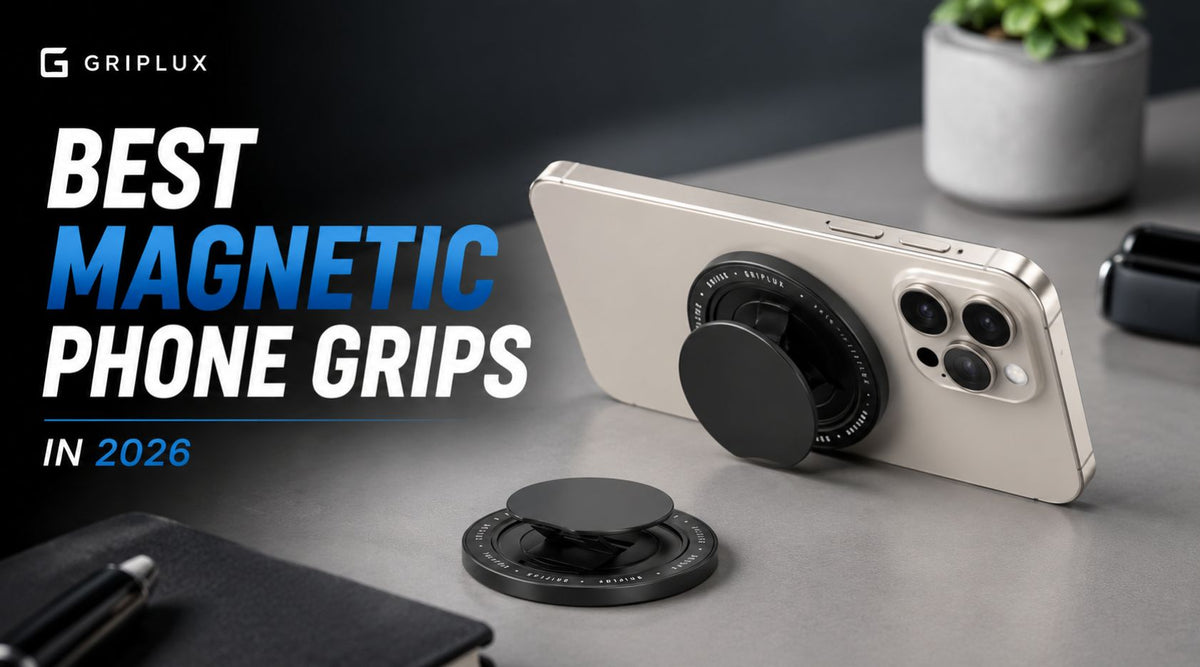
Every magnetic phone grip on the market claims "strong magnets" and "MagSafe compatible." Neither phrase is a specification. Apple publishes the actual numbers the whole system is built around — a detach force between 800 and 1,100 grams, a 1.55 mm alignment tolerance, a specific magnet alloy — and once you know them, most grip marketing sorts itself into "true," "irrelevant," or "measuring something else entirely." This guide gives you the real spec sheet, the two numbers that actually predict whether you'll still be using the grip in six months, and three grips compared on the things that differ.
A magnetic phone grip is a finger hold that snaps onto the ring of magnets inside a MagSafe or Qi2 case rather than sticking to it with adhesive. The grip itself does not determine how strongly it holds — the magnet array in the case underneath does, and Apple's own guidelines cap that at roughly 0.8–1.1 kg of detach force by design.
That leaves three specs that genuinely separate grips: thickness (2.8 mm versus 12.7 mm is the difference between a grip you forget about and one you take off), weight, and whether you can wireless charge without removing it. Everything else is preference.
- What a grip actually holds on to
- The magnet number that isn't N52
- Tool: which grip fits your use
- Thickness, and why it decides everything
- Tool: stack height and charging
- "Charge-through" vs "MagSafe compatible"
- Qi2, Qi2 25W and 2026 charging
- Kickstand geometry
- Rigid, strap, or pop-out
- The three grips, compared
- Quick comparison table
- Tool: rank by what you care about
- The five-question framework
- What we left out, and why
- Making any grip hold better
- Frequently asked questions
What a magnetic phone grip actually holds on to
The magnets are not really in the grip. They are in the ring inside your case — or, on an iPhone without a case, in the phone itself. The grip carries a matching array, and the two lock together. That distinction matters more than any product page will tell you, because it means the weakest magnet array in the stack sets the holding strength, and that is almost always the case, not the grip.
Apple publishes the requirements in its Accessory Design Guidelines, and they are unusually specific. Every magnet in a certified MagSafe case array has to sit in the same plane. The array has to let an accessory self-align within a 1.55 mm radial maximum — snap it on roughly straight and the magnets pull it the rest of the way. The magnets themselves are specified as N45SH NdFeB with a 7–13 µm nickel-copper-nickel coating. And the accessory has to come off when the user pulls with between 800 and 1,100 grams of force.
That 800–1,100 gram-force window is a design target, not a floor. Apple deliberately made MagSafe accessories detachable by hand. Any grip advertising that it holds "5 kg" is either measuring against a flat steel plate rather than a MagSafe array, or it would be unpleasant to remove from a phone. On a certified case, every grip in this category lands in roughly the same band — which is exactly why magnet marketing is the least useful part of a grip spec sheet.
There is one more constraint worth knowing: a certified MagSafe case is not allowed to exceed 2.1 mm in thickness, with 2.0 mm recommended, and it isn't permitted to carry magnets outside the certified array. That ceiling exists because the case sits between the charging coils. Anything you add on top of it — including a grip — is added to a gap Apple already treats as nearly maxed out.
The magnet number that matters — and it isn't N52
Scroll any marketplace listing for magnetic phone grips and you'll find "N52 magnets" presented as the headline feature. The N-number is real, but it does not mean what the listings imply.
The number after the N is the magnet's maximum energy product — how much magnetic energy the material can store per unit volume. It is a property of the alloy, not of the finished magnet. Reference data from magnet suppliers makes the gap obvious: a 10 mm × 3 mm N52 disc measures about 14,500 gauss at the surface and pulls roughly 3 kg. The same size in N35 measures about 11,700 gauss and pulls about 1.5 kg. So far, so intuitive.
Then look at what geometry does. A 20 mm × 3 mm disc in the same N52 grade pulls about 6 kg — double the 10 mm version, identical alloy. Diameter, thickness, count and spacing swamp the grade. A grip built with a well-laid-out ring of N45 magnets will out-hold one with a thin, sparse ring of N52 every time.
The practical takeaway: ignore the grade, and ignore any pull-force figure quoted without the surface it was measured against. Pull force against a thick steel plate is the number that sells; pull force against a 2 mm case with a certified array is the number you'll experience, and it's set by the case.
Which grip fits how you actually use your phone?
Four questions. Nothing is sent anywhere — it runs entirely in your browser.
Answer all four questions to see a recommendation.
Thickness is the spec that decides whether you keep using it
Magnet strength is the spec people compare. Thickness is the spec that determines whether the grip is still on the phone in March. A grip you notice every time you sit down, put the phone in a pocket, or lay it flat on a desk is a grip that ends up in a drawer.
The three grips here are not close on this. The GripLux Luxi Snap Grip is stated at 2.8 mm closed. The PopSockets PopGrip for MagSafe collapses flat but still stands proud of the case by a noticeable amount. LoveHandle's numbers deserve a note of their own.
LoveHandle's product page for the PRO for MagSafe describes an "ultra slim profile (a little under 0.5″)" — that's roughly 12.7 mm. Its own 2026 buying guide, on the same domain, states the PRO is "just 0.19 inches thick" — roughly 4.8 mm. Those are very different products. We've used the figure from the product page in the comparison below, because that's the page you buy from, but if precise thickness is your deciding factor, measure it yourself or ask them before ordering.
Weight follows the same pattern and gets discussed even less. The Luxi Snap Grip is listed at 14.4 g. The PopSockets PopGrip for MagSafe is listed at 0.1 lb — about 45 g, roughly three times as much. On a phone that already weighs 200 g-plus, adding 45 g at the back changes how the whole thing balances in one hand, especially when you're reaching a thumb to the far corner of the screen.
Three practical thresholds are worth holding in your head:
- Under about 4 mm: the phone still slides into a front pocket the way it did before, and lies close to flat on a table.
- 4–8 mm: pocketable, but the phone rocks when you tap it on a desk and you feel the bulge sitting down.
- Over 8 mm: effectively a jacket-pocket or bag phone. Fine if that's how you carry it — genuinely annoying if it isn't.
How much are you actually adding to the back of your phone?
Set your case thickness, then compare the total stack each grip creates. Bars are drawn to scale.
"MagSafe compatible" and "charge-through" are two different claims
These get used interchangeably in product copy and they are not the same thing. MagSafe compatible means the accessory attaches to the magnet array. Charge-through means you can leave it attached and still put the phone on a wireless charger. A grip can be the first without being the second, and most are.
Both LoveHandle and PopSockets tell you as much in their own instructions: to charge wirelessly, you slide the grip off first. That is not a defect — it's the honest consequence of putting a solid body in the middle of the coil path. GripLux designs the Luxi Snap Grip around a clear coil window so the phone charges with the grip attached, which is the single biggest functional difference between the three.
The physics is simple enough. Wireless charging is a transformer with an air gap: a coil in the charger induces current in a coil in the phone. Two things degrade it. Distance — coupling falls off quickly as the coils separate, so every millimetre of case plus grip costs you efficiency. And conductive material in the field — metal in the coil path develops eddy currents, which turn charging power into heat instead of battery charge and can trigger the charger's foreign-object detection, stopping the session entirely.
Apple's own guidance is a version of the same warning: don't put credit cards, security badges, passports or key fobs between the iPhone and the MagSafe charger, because the field can damage magnetic strips and RFID chips. If a thin card is enough to matter, a slab of metal and plastic certainly is.
Even a grip designed for it adds gap. Expect a charge-through grip to be slower and to run warmer than a bare phone on the same charger — the win is convenience, not speed. If you want maximum wireless speed, take the grip off, or plug in. If you want to drop the phone on a car mount ten times a day without a two-hand ritual each time, charge-through is the feature that makes the grip stay on the phone.
Qi2, Qi2 25W, and what changed in 2026
Apple's MagSafe arrived in 2020. The Wireless Power Consortium then folded the magnetic alignment idea into an open standard: Qi2, released in 2023 at 15 W, using a magnetic attach profile so the coils line up the same way every time. In July 2025 the WPC released Qi2 25W — nearly 70% more power than Qi2, enough to take a phone from 0 to about 50% in roughly 30 minutes, with fourteen devices through certification at the limited launch and several hundred queued behind them.
Apple's own numbers, from its MagSafe support documentation, are worth pinning down because they vary by model:
| iPhone | MagSafe peak | Adapter needed |
|---|---|---|
| iPhone 17 Pro, 17 Pro Max, 17, 16 Plus, 16 Pro Max | Up to 25 W | 30 W or greater (15 V / 2.0 A or higher) |
| iPhone 16, 16 Pro | 22.5 W | 30 W or greater |
| iPhone Air | 20 W | 30 W or greater |
| iPhone 17e, iPhone 15 and earlier | Up to 15 W | 20 W or greater USB-C |
Source: Apple, "How to use your MagSafe Charger with iPhone." Peak figures are momentary; sustained rates drop as the battery fills and as the phone warms.
The consequence for grips is thermal, and it's new. At 7.5 W, the waste heat in a wireless charging stack is small enough that a bit of extra gap barely registers. At 25 W, the same percentage loss is more than three times the heat, deposited in a phone that is already throttling to protect the battery. A grip that charged acceptably on an older 7.5 W pad can be the reason a 25 W charger never reaches 25 W. If you've upgraded the charger and charging got slower, the accessory stack is the first thing to check — and it's worth confirming the wall charger and cable can actually deliver the profile at all. We go through that in detail in our guide to GaN chargers.
Kickstand geometry: angle range beats angle count
Nearly every grip in this category doubles as a stand, and the marketing usually counts positions. A more useful question is what angles it actually produces, because there are only three you care about.
- Roughly 40–50° from horizontal: the desk band. Video on a table, recipe on a counter, a phone propped next to a laptop. The Luxi Snap Grip's stated 42–48° range sits squarely here.
- Near-vertical, landscape: video calls and watching on a plane tray. This is what a two-way kickstand adds — the LoveHandle PRO works in both horizontal and vertical orientation.
- Shallow, near-flat: useful for typing on a propped phone, and the angle most single-position stands miss.
A grip offering "multiple angles" that all land inside the 40–50° band is doing less than a grip offering two positions that cover both the desk band and landscape. Count the orientations, not the detents.
Rigid slot, elastic strap, or pop-out disc
The hold mechanism is where personal preference legitimately beats specs, but each style has a predictable failure mode worth knowing before you buy.
Rigid slide-and-lock (the Luxi Snap Grip). Slides open to a fixed two-finger slot, folds flat. Most secure feel, thinnest when closed, and the mechanism either works or it doesn't — there's nothing to stretch. The trade-off is that the slot size is fixed: it fits most hands well and very large or gloved hands less well.
Elastic strap (the LoveHandle PRO). A silicone band across the back that your whole hand slides under. The most forgiving for different hand sizes and the most comfortable for long one-handed sessions. Elastomers relax with time and UV; a strap that's perfect at month one is looser at month eighteen. LoveHandle's answer is that straps are swappable at about $15 each, which is a reasonable fix if you're prepared to buy them.
Pop-out disc (the PopSockets PopGrip). One finger through a collapsible accordion. The most familiar motion for anyone who has used a PopSocket, and by far the largest range of designs. The concertina is the wear point — it's a moving part operated many times a day — and it's the thickest of the three even when collapsed.
The three grips, compared
We compared these three because they represent the three genuinely different mechanisms in the category, and because all three publish enough specifications to hold them to. Prices and figures below are as stated by each manufacturer or retailer at the time of writing.
GripLux Luxi Snap Grip
The Luxi Snap Grip takes the "disappear until you need it" approach and pushes it further than anything else here. At a stated 2.8 mm and 14.4 g, it adds roughly the thickness of two credit cards to the back of the case, and it's the only one of the three you don't remove to charge.
- Rigid slide-and-lock mechanism opens to a two-finger grip, then folds down into a kickstand for hands-free viewing
- Dual magnetic design — the front array attaches to your MagSafe case, while a rear magnet lets you mount the phone to compatible metal surfaces such as gym equipment, a kitchen range hood, or a magnetic car mount
- Full MagSafe charge-through, so it stays on the phone on a pad, a car mount or a nightstand
- Polycarbonate body; black and white; compatible with MagSafe cases for iPhone 12 and later plus select Android models
- 32 customer reviews at the time of writing, 84% of them five-star
Where it's weakest: two colours and no cosmetic customisation, and the fixed slot means it's a two-finger grip or nothing — there's no full-hand option. Its review count is also much smaller than the other two, simply because it's a newer product from a smaller brand.
Best for: anyone who wants the grip to feel like it's barely there when they're not using it, and who charges wirelessly often enough that taking a grip off every time would end the relationship.
LoveHandle PRO for MagSafe
LoveHandle built its reputation on the elastic-strap grip, and the PRO brings that design to MagSafe attachment. It is the most comfortable hold here for long sessions, and the most customisable if you like changing how your phone looks.
- Silicone strap adjusts to hand and finger size rather than forcing a fixed two-finger position
- Neodymium magnets strong enough to hold on compatible metal surfaces
- Two-way kickstand working in both horizontal and vertical orientation — genuinely uncommon at this price
- Swappable straps, including licensed sports and artist collaborations, at around $15 each
- Listed at $38, down from $50; 276 reviews with 89% at five stars
Where it's weakest: you slide it off to wireless charge, and it's the bulkiest of the three. *The thickness figure is contested — see the discrepancy note above; LoveHandle's product page and its own buying guide give materially different numbers.
Best for: people who prefer a soft, full-hand hold over a rigid two-finger slot, who mostly charge with a cable, and who like the option to swap designs.
PopSockets PopGrip for MagSafe
PopSockets is the brand most people already associate with phone grips, and the MagSafe version carries that legacy forward — including the enormous catalogue of swappable tops and the mounts, wallets and car holders built around the same disc.
- Collapses flat against the phone, then pops out for grip or kickstand use
- Swappable PopTops twist on and off, giving the widest design range in the category by a distance
- Works with the existing PopSockets mount ecosystem — car vents, wallets, dashboard mounts
- Slides off magnetically for wireless charging
- Around $29.97; 4.1 out of 5 stars across 1,615 reviews at one major retailer
Where it's weakest: the heaviest of the three at roughly 45 g, a single kickstand angle, no charge-through, and a mechanical concertina that is the most likely part to wear out. The 4.1-star average is also the lowest of the three, though it's drawn from by far the largest sample.
Best for: anyone already invested in PopSockets mounts and accessories, or who treats the grip as a style item they'll change often.
Quick comparison
| Feature | GripLux Luxi Snap Grip | LoveHandle PRO | PopSockets PopGrip |
|---|---|---|---|
| Thickness | 2.8 mm | ~12.7 mm* | Collapses flat |
| Weight | 14.4 g | Not stated | ~45 g |
| Grip style | Rigid slide, two-finger | Elastic strap, full-hand | Pop-out disc, one finger |
| Kickstand | Built-in, 42–48° | 2-way, portrait + landscape | Single angle |
| Wireless charge-through | Yes | No — slide off | No — slide off |
| Mounts to metal | Yes, rear magnet | Yes | Via PopSockets mounts |
| Customisation | Black or white | Swappable straps, ~$15 | Swappable tops, very wide range |
| Price | $31.99 | $38 | ~$29.97 |
| Reviews | 32 · 84% 5★ | 276 · 89% 5★ | 1,615 · 4.1★ avg |
*LoveHandle publishes conflicting thickness figures — roughly 12.7 mm on the product page, roughly 4.8 mm in its own 2026 guide. Figures are manufacturer- or retailer-stated, not independently measured, and review counts move.
Rank them by what you actually care about
All six start switched on — that is the "everything matters equally" baseline. Switch off what you do not care about and the ranking recalculates live.
Scores are a transparent weighted average of the published specs in the table above, normalised to 100. They are a decision aid, not a verdict — where two grips land within a few points, pick the mechanism you prefer.
The five-question buying framework
If you strip everything above down to what changes the decision, it's these five, in order:
- Does your case have a certified magnet array? If it doesn't, no grip will hold properly and everything else is moot. A grip is only as strong as the ring underneath it.
- Do you wireless charge more than once a day? If yes, charge-through moves from nice-to-have to the deciding feature, because a grip you remove ten times a day comes off permanently within a month.
- Does the phone go in a front pocket? If yes, thickness is your first filter, not your last. Under about 4 mm is a different daily experience from over 8 mm.
- Do you need a landscape stand? If you watch video or take calls on a propped phone, a two-way kickstand is worth real money. If you only ever prop it on a desk, a single 40–50° angle covers you.
- Will you actually change the design? Be honest. Swappability is a genuine advantage for some people and a feature that never gets used by most.
Note that "magnet strength" is not on that list. On a certified case, all three of these grips hold within the same narrow band Apple designed the system around.
What we left out, and why
This is a three-way comparison, not a survey of the whole market, and it's fair to say what's missing. OhSnap, Anker's MagGo range, ESR, MOFT and Peak Design all make magnetic grips, and several are excellent. They're absent for one reason: this comparison is organised around the three mechanisms — rigid slot, elastic strap, pop-out disc — and adding a fourth rigid-slot grip would have made the table longer without making the decision clearer.
We also aren't presenting these as independently lab-tested. Every figure here is manufacturer- or retailer-stated and linked to its source, and where sources disagree — as they do on LoveHandle's thickness — we've said so rather than picking the flattering number. GripLux sells one of the three grips compared here, which you should factor in; the specs are checkable, which is the point of publishing them.
How to make any magnetic grip hold better
If your grip slides or drops off, the fix is usually not a stronger grip.
- Start with the case. A certified magnet array is the single biggest variable. Cases with "magnetic" rings that aren't built to Apple's array layout hold noticeably worse, and adhesive magnet rings stuck inside a case are worse again. Our MagSafe-compatible cases and ultra-thin range are built around a proper array.
- Watch total thickness. Apple caps certified cases at 2.1 mm for a reason. Every extra millimetre between the two arrays costs holding force disproportionately — magnetic force falls off far faster than linearly with distance.
- Texture matters more than you'd think. A heavily textured or soft-touch case back gives the grip less flat contact area, so it rotates under load even when the magnets are fine.
- Clean both faces. Pocket lint and skin oil on the contact surfaces add gap and reduce friction, which is what stops rotation.
- Re-seat rather than force it. The array self-aligns within about 1.55 mm — lift the grip clear and let it snap rather than sliding it into place, which can leave it a few millimetres off centre.
If you want the deeper comparison of the two most common styles, we've written that up separately in MagSafe grip vs PopSocket.
The GripLux answer: Luxi Snap Grip
GripLux Luxi Snap Grip
We built the Luxi Snap Grip around the two specs this guide argues actually matter: keep it thin enough that you forget it's there, and don't make people take it off to charge. The rear magnet is the bonus — it turns the same grip into a mount for a car holder, a gym machine, or a fridge.
Or browse the full magnetic phone grip range, and the thinnest phone cases we make to pair with it.
Frequently asked questions
Do magnetic phone grips work with any phone case?
They work properly only with cases that contain a MagSafe or Qi2 magnet array. On a case without one, a grip either won't hold at all or will hold weakly enough to slide under load. For cases with no built-in array, most grips work with a separate adhesive magnetic adapter ring — a workable fallback, but expect a weaker and less precisely aligned hold than a certified array gives you.
Will a magnetic grip fall off during normal use?
On a certified MagSafe case, no. Apple specifies that accessories should detach at between 800 and 1,100 grams of force, which is far more than texting, scrolling or taking photos applies. What magnets don't resist well is shear and rotation — a grip is more likely to twist than to pull straight off. It is also not designed to take the phone's full weight dangling from the grip on a hard yank.
Do I have to remove the grip to charge wirelessly?
It depends entirely on the design, and the product page will tell you. Grips built with a clear coil window — the GripLux Luxi Snap Grip among them — charge with the grip attached. Strap-based and pop-out designs, including the LoveHandle PRO and the PopSockets PopGrip, instruct you to slide them off first. Even on a charge-through grip, the extra gap means slower charging than a bare phone.
Does "N52 magnet" mean a grip is stronger?
Not reliably. The N-number describes the alloy's maximum energy product, not the finished magnet's holding force. Geometry dominates: a 20 mm N52 disc pulls roughly double a 10 mm N52 disc of the same thickness. Apple's own MagSafe spec calls for N45SH — a lower grade chosen for heat stability, because magnets weaken as they warm and wireless charging warms them.
Are magnetic grips better than adhesive ring holders?
For most people, yes — they come off without residue, can be repositioned or swapped, and don't rely on an adhesive pad that degrades. Adhesive rings still win in one situation: a phone or case with no magnet array at all, where a stuck-on holder is more secure than a magnetic grip clinging to a weak adapter ring.
Can a magnetic grip double as a car mount?
Some can. A grip with a rear magnet, like the Luxi Snap Grip, attaches to compatible metal surfaces and magnetic car mounts directly. Others, including PopSockets, use their own proprietary mount ecosystem instead. Check whether the grip has a rear magnet or only a front array — a front-only grip can't mount to anything.
Will a grip make my phone charge slower?
Yes, to some degree, whenever it stays attached. Wireless charging efficiency falls as the coils separate, and any conductive material in the field generates eddy-current heat rather than charge. With Qi2 25W and Apple's 25 W MagSafe now in play, that penalty is more visible than it was at 7.5 W, because the same percentage loss is now three times as much heat. If charging speed matters most in a given moment, take the grip off.
Do magnetic grips work with Android phones?
Yes, with a Qi2 phone or a case containing a magnet array. Qi2 brought magnetic alignment to the open standard in 2023, and Android makers have been shipping Qi2-compatible phones and cases since. On an Android phone without an array, you'd use a case with one built in, or an adhesive adapter ring.
Do the magnets damage credit cards or the phone?
They won't harm the phone — iPhones and modern Android phones are designed around these fields. Cards are a different matter. Apple explicitly warns against placing credit cards, security badges, passports or key fobs between the iPhone and a MagSafe charger, since the field can damage magnetic strips and RFID chips. Keep cards out of the sandwich, not just off the grip.
Sources and further reading
- Apple — How to use your MagSafe Charger with iPhone (per-model wattage, adapter requirements, card and RFID warning)
- Apple Accessory Design Guidelines, as reported by 9to5Mac (N45SH magnets, 1.55 mm alignment, 800–1,100 gf detach, 2.1 mm case limit)
- Wireless Power Consortium — Qi wireless charging standards (Qi2 in 2023 at 15 W; Qi2 25W in July 2025)
- Wireless Power Consortium — Qi2 25W launch announcement, 23 July 2025
- Stanford Magnets — Magnet grades: pull force, gauss and N numbers
- LoveHandle — PRO for MagSafe product page and its 2026 MagSafe grip guide (the conflicting thickness figures)
- PopSockets PopGrip for MagSafe retail listing (price, weight, review data)
- GripLux — Luxi Snap Grip product page
Last updated 31 August 2026. Prices, review counts and published specifications change; figures are as stated by each manufacturer or retailer at the time of writing. GripLux sells one of the three products compared here.
Share:
Kevlar Phone Case Care Guide: How to Keep It Looking New
MagSafe Grip vs PopSocket: Which Is Better in 2026?