


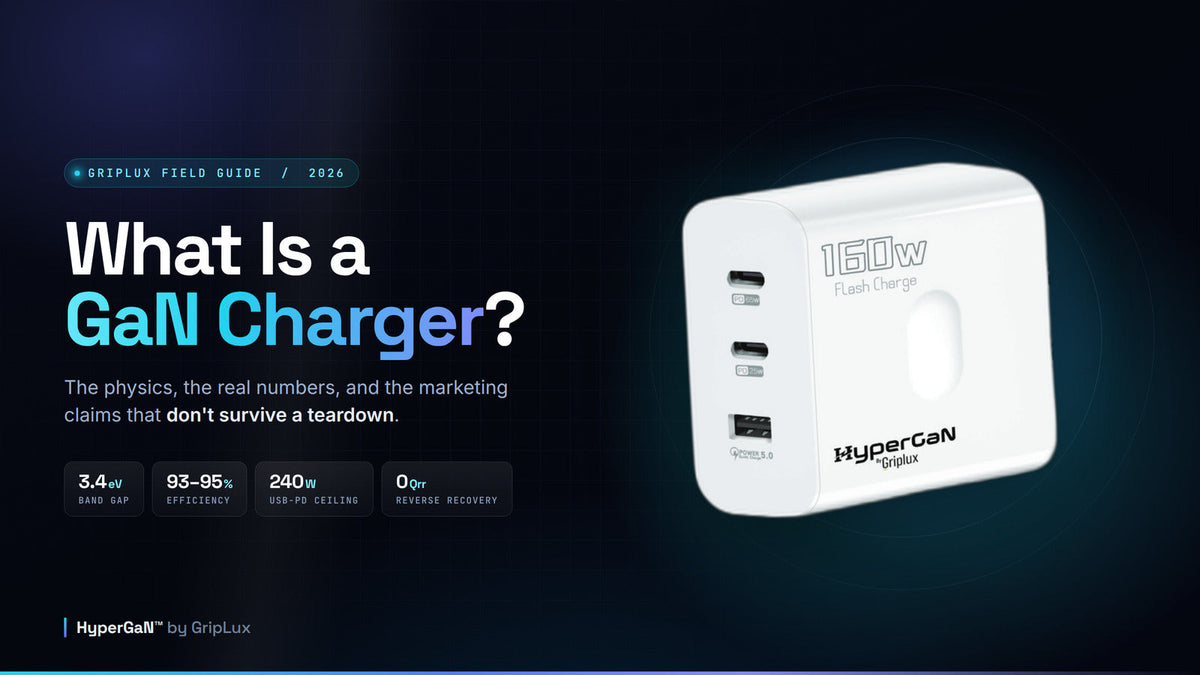
Every brand selling a GaN charger tells you the same three things: it's smaller, it's faster, it's cooler. Two of those are true. The third is a sales pitch that engineers have been quietly correcting on hardware forums for years. This guide gives you the actual physics of gallium nitride charging, the measured numbers, and a calculator that tells you what wattage you personally need — so you stop paying for charger specs you'll never draw.
A GaN charger is a wall charger that uses gallium nitride transistors instead of silicon ones. Gallium nitride has a 3.4 eV band gap versus silicon's 1.12 eV, which lets it switch at higher frequencies with less loss. That shrinks the transformer and capacitors inside, so the same wattage fits in a much smaller body and wastes less energy as heat.
The meaning of "GaN" on a charger is therefore narrow and literal: it describes what the power transistors are made of. It is not a brand, a charging protocol, or a speed rating.
What GaN does not do is make your phone charge faster. A 30W GaN charger and a 30W silicon charger fill your battery at exactly the same rate. Charging speed comes from wattage and the USB Power Delivery profile — not the semiconductor.
- What is a GaN charger, exactly?
- Why GaN chargers are smaller
- Power density vs. total power
- "Will it charge my phone faster?"
- USB-PD, PPS and what sets your speed
- Calculator: what wattage do you need?
- The efficiency and heat math
- What multi-port sharing really costs you
- The cable rule almost everyone gets wrong
- Does fast charging kill your battery?
- How to spot an unsafe GaN charger
- "GaN III" and other invented numbers
- When not to buy one
- Which is the best GaN charger for you?
- The five-question buying framework
- The GripLux HyperGaN 160W
- Frequently asked questions
What is a GaN charger, exactly?
A GaN charger is a wall charger whose switching transistors are built from gallium nitride rather than silicon. Everything else about it — the USB-C ports, the plug, the negotiation with your phone — works exactly as any other charger does. The material change is what shrinks the box.
Gallium nitride is a wide-band-gap semiconductor. That phrase does a lot of work, so here's what it means in practice: the band gap is the energy an electron needs to jump from bound to conducting. Silicon's is 1.12 eV. Gallium nitride's is 3.4 eV — about three times higher.
A wider band gap means the material tolerates a far stronger electric field before it breaks down. Silicon gives out around 0.3 MV/cm. GaN holds up to roughly 3.3 MV/cm, an order of magnitude better. That single property is why a GaN transistor rated for the same voltage can be built physically smaller, with a much thinner drift region, and still not arc through.
GaN vs. silicon: the two numbers that explain everything else
Each measure is on its own scale — they share no units and are not directly comparable to one another.
Values from Lidow et al., GaN Transistors for Efficient Power Conversion (EPC). Published figures for silicon's critical field range from 0.23–0.3 MV/cm depending on source, so the GaN advantage is roughly 11–14×.
The thing most articles get wrong about mobility
You will read, on a lot of charger websites, that GaN switches faster because it has higher electron mobility than silicon. That is not quite true, and it's worth correcting because it tells you something real about how these parts work.
Bulk gallium nitride actually has lower electron mobility than silicon — roughly 1,000 cm²/V·s against silicon's 1,500. GaN only pulls ahead through a structure called the two-dimensional electron gas, a sheet of highly mobile electrons that forms at the junction between aluminium gallium nitride and gallium nitride. In that 2DEG layer mobility runs 1,500–2,000 cm²/V·s. The transistor built around it is a HEMT, or high-electron-mobility transistor, and that name is where the confusion started.
The real reason GaN switches cleanly is charge, not speed. Three specifics:
- Gate-drain charge (Qgd) is far lower than a comparable silicon MOSFET's, so the transistor spends much less time in the lossy region where voltage and current overlap. How much lower depends on the voltage class and on whether you're comparing against planar or superjunction silicon.
- Output-capacitance energy (Eoss) is lower too, so less energy is dumped every time the device turns on.
- There is no reverse-recovery charge at all. A lateral GaN HEMT has no p-n body diode, which eliminates the single biggest hard-switching loss in a silicon half-bridge.
That's the honest engineering story. GaN isn't a faster material in the way a faster processor is faster — it's a cleaner switch, and cleaner switching is what buys you everything downstream.
Why GaN chargers are smaller
The biggest, heaviest things inside any wall charger are the transformer and the capacitors. Shrink those and you shrink the charger. Higher switching frequency is what shrinks them, and the relationship is not hand-waving — it falls straight out of Faraday's law.
A transformer has to absorb a fixed number of volt-seconds each cycle without saturating its core. Run the cycle twice as often and each cycle carries half the volt-seconds, so you need roughly half the core area-turns product. In a flyback converter, which is what most chargers are, the same logic applies to stored energy: the transformer moves ½LI² per cycle, so at fixed output power the inductance you need falls as frequency rises. Output capacitance follows the same rule — ripple is inversely proportional to frequency, which is how GaN designs get away with small ceramic capacitors where a silicon design needed a fat electrolytic.
For a sense of scale, look at Power Integrations' own charger controllers. The InnoSwitch3 family runs at 25–95 kHz; the newer InnoSwitch4-CZ, built on the company's GaN process, tops out at 140 kHz. Both families ship in GaN variants, so this is a generational step rather than a clean silicon-versus-GaN experiment — but it tells you the operating range real charger silicon lives in. Hundreds of kilohertz. Not tens of megahertz.
There's also a ceiling on the benefit. Ferrite core losses scale with frequency and with roughly the 2.4th power of the flux swing, and winding losses climb as skin and proximity effects worsen. Push past about 500 kHz and the designer has to reduce flux density to keep losses in check, which claws back part of the size saving. That is precisely why real chargers live at a few hundred kilohertz instead of at the frequencies GaN devices can technically reach.
So how much smaller, really?
Vendors claim a lot. Anker markets GaNPrime as "up to 53% smaller compared to silicon laptop chargers." Other brands claim 63%. Those figures compare a new GaN design against an old, unflattering silicon baseline.
The most honest comparison is Apple's own lineup, because the two products are a generation apart and otherwise similar. Apple's 67W silicon adapter was replaced by a 70W GaN adapter built around a GaN Systems part. ChargerLab's teardown described the GaN unit as "slightly smaller than the previous 67W charger but with higher output power." Three extra watts and a modest size reduction — that is what a real generational GaN upgrade looks like when a company isn't marketing the semiconductor itself.
Power density vs. total power — the distinction that fixes everything
If you take one idea from this guide, make it this one. It resolves nearly every argument about GaN.
GaN raises watts per cubic inch. It does not raise a wattage ceiling.
There is no power limit to silicon. A 1,200W PC power supply is silicon. Utility inverters pushing megawatts are silicon. You can build a silicon charger of any wattage you like — it will just be enormous. What GaN changed is that a 100W charger became something you toss in a bag instead of something that lives permanently behind a desk.
USB-C's 240W maximum has nothing to do with gallium nitride either. That number comes from the USB Power Delivery specification — 48V at 5A — and it would be exactly 240W if every charger on earth were silicon.
A non-GaN 65W charger and a GaN 65W charger charge identically. But a GaN 100W charger may be the same physical size as that non-GaN 65W one. In that specific sense — same size, more power — GaN charges faster. Not because of the material, but because the material let the manufacturer fit more watts in the space you were willing to carry.
"Will a GaN charger charge my phone faster?"
This is the single most common question about GaN chargers, and it is the one every brand answers dishonestly by omission. So, plainly:
No. Not by itself. If you replace an 18W silicon charger with an 18W GaN charger, your phone will charge at precisely the same rate. Same volts, same amps, same result. The semiconductor inside the brick is invisible to your phone.
Charging speed is set by two things, and gallium nitride is neither of them:
- How many watts the charger can deliver at a voltage your device will accept.
- Which fast-charge protocol both ends agree on — USB Power Delivery, PPS, or a vendor-specific scheme like Quick Charge.
Where GaN genuinely helps is that it made higher-wattage chargers small enough that people actually buy and carry them. If you upgrade from a 20W brick to a 100W GaN charger, your laptop will absolutely charge faster — because you went from 20W to 100W, not because you went from silicon to gallium nitride.
USB Power Delivery, PPS, and what actually sets your speed
Every USB-C charger worth buying speaks USB Power Delivery. The current specification is Revision 3.2, Version 1.2, published by the USB Implementers Forum in May 2026. PD works by negotiation: your device asks the charger what it can offer, the charger replies with a list of power profiles, and the two settle on one before anything above 5V ever appears on the cable.
| Range | Voltage | Max current | Max power | Typical use |
|---|---|---|---|---|
| SPR | 5V | 3A | 15W | Earbuds, watches, legacy phones |
| SPR | 9V | 3A | 27W | Most phone fast charging |
| SPR | 15V | 3A | 45W | Tablets, small laptops, Steam Deck |
| SPR | 20V | 5A | 100W | Most USB-C laptops |
| EPR | 28V | 5A | 140W | MacBook Pro 16", workstations |
| EPR | 36V | 5A | 180W | Gaming laptops |
| EPR | 48V | 5A | 240W | The current USB-C ceiling |
PPS is the feature worth paying for
Programmable Power Supply is the least-marketed and most useful thing in the specification. A standard PD profile is a fixed voltage — 9V, say. Your phone's battery is sitting somewhere around 3.8V. Something has to bridge that gap, and that something is a converter inside your phone, dissipating the difference as heat right next to the battery.
PPS lets your phone command the charger in 20mV voltage steps and 50mA current steps, so the adapter tracks the cell voltage as it rises through the charge curve. The gap collapses, and so does the heat generated inside the phone. That is the real mechanism behind "PPS is better for battery health" — it isn't chemistry, it's thermal. Less heat in the device means slower degradation.
PD 3.2 added a related feature called SPR-AVS, now mandatory for sources above 27W. It adjusts in 100mV steps between 9V and 15V on sources up to 45W, and between 9V and 20V above that. It's what Apple's iPhone 17 adapter uses.
When you compare two chargers of equal wattage, the one with PPS support is the better buy — especially if you own a Samsung Galaxy, which leans on PPS heavily for its 45W mode. A charger without PPS will still charge your phone; it will just run hotter doing it.
Calculator: what wattage do you actually need?
Most people overbuy. They read that 240W exists and assume more is better, then pay for headroom they will never draw. Tick everything you'd realistically have plugged into one charger at the same time — the tool adds up what those devices actually pull at full speed.
What do you charge at once?
Figures are the manufacturer's stated fast-charge requirement for each device, or the measured peak where one is published. Real-world draw is often a little lower, and every device tapers as it fills.
Two things that calculator can't know, and you should factor in yourself.
You rarely charge everything at full speed simultaneously. Phones and tablets hit peak draw only in the first 20 minutes or so, then taper hard as they approach full. A charger rated slightly under your theoretical peak will still handle the real workload comfortably — everything just charges a little slower during the brief overlap.
Port count matters as much as total wattage. A 100W charger with one port is worse for most people than a 65W charger with three, because the second scenario is the one that actually replaces the tangle of bricks in your bag.
The efficiency and heat math nobody bothers to do
Here's a claim you'll see everywhere: GaN chargers are about 95% efficient, silicon about 87%. Both halves of that deserve scrutiny.
Start with the 87%, because it isn't legal. US Department of Energy Level VI rules require external power supplies above 49W to average at least 88% active-mode efficiency, and the EU Code of Conduct Tier 2 sets the bar at 89%. Any silicon laptop charger you can legally buy today already clears those. The realistic comparison is a good GaN design at 93–95% against a compliant silicon one at 88–91% — a gap of two to six percentage points, not eight.
That still sounds like a rounding error, and plenty of people dismiss it on exactly those grounds. They're doing the wrong arithmetic. Don't compare the efficiency — compare the loss. A 94% efficient charger wastes 6% of the energy passing through it; an 89% one wastes 11%. Nearly twice the waste heat, from a gap that reads as five trivial percentage points.
Drag to see the heat difference
Waste heat dissipated inside the charger body, at 94% (typical measured GaN) versus 89% (a compliant silicon design).
At 65W the silicon design sheds 3.9W more heat than the GaN unit — heat that has to leave through the enclosure.
But do GaN chargers actually feel cooler?
Not necessarily, and this is where the marketing gets ahead of the physics again. Less waste heat is only half of a thermal equation. The other half is surface area, and GaN chargers deliberately throw surface area away.
Halve a charger's volume and you lose roughly a third of its external surface. Cut the waste heat by 45% but shrink the radiating area by 37% and the case temperature may barely move. Gallium nitride's own thermal conductivity is also slightly lower than silicon's, and the die is physically tiny, which concentrates heat flux. Manufacturers compensate by potting the internals in thermal adhesive to conduct heat into the shell — one teardown found a GaN charger essentially filled with the stuff.
What is true: a well-designed GaN charger dissipates meaningfully less energy as heat, which means less wasted electricity and less thermal stress on its own components. Whether the plastic feels cool under your fingers depends on the enclosure, not the element.
And on the electricity bill — let's kill that one too. Five percentage points of efficiency on a charger that draws maybe 200 kWh a year at the absolute outside saves you a couple of dollars annually. Buy GaN for the size and the port count. The energy savings are real and they are trivial.
What multi-port sharing really costs you
Every multi-port charger advertises one number, and that number is almost always what a single port can deliver with nothing else plugged in. The moment you use a second port, the arithmetic changes — and manufacturers rarely put this on the box.
Power sharing isn't a smooth proportional split, either. Multi-port chargers carry a small set of pre-programmed allocation profiles and pick one based on which ports are occupied. Plug something in and the charger renegotiates its contracts, sometimes with a brief interruption on the ports already in use. That flicker in your laptop's charging indicator when you plug in your phone? That's this.
Anker publishes the table for its 140W four-port unit, which makes a good worked example:
| Ports in use | What each port gets | Total |
|---|---|---|
| USB-C1 alone | 140W | 140W |
| USB-C1 + USB-C2 | 70W + 70W | 140W |
| USB-C1 + USB-C3 | 100W + 40W | 140W |
| USB-C1 + C2 + C3 | 65W + 45W + 30W | 140W |
| All four ports | 65W + 45W + 12W + 12W | 134W |
Source: Anker's own published power-distribution table for its 140W four-port PD 3.1 charger.
Two lessons sit in that table. First, the headline number only ever applies to one port, alone. A 16-inch MacBook Pro needs 140W for full-speed charging, and it loses that the moment anything else is plugged in — dropping to 100W alongside a low-power port, or to 70W if the second device lands on C2. Second, look at the last row: four ports in use totals 134W, not 140W. Allocation overhead is real, and the advertised figure is never fully distributable.
This is why the calculator above asks what you charge at the same time. If your realistic simultaneous load is a laptop plus a phone, you want a charger whose two-port profile covers both — not one whose headline number happens to add up on paper.
The cable rule almost everyone gets wrong
You can buy an excellent 140W GaN charger, plug it into your laptop with the wrong cable, and get 60W. No error message, no warning — just a laptop that charges slowly and a user who blames the charger.
USB-C cables carry a chip called an e-marker that tells the charger what the cable can safely handle. Here is the rule:
- Up to 60W (3A), no e-marker is required. The cable in your phone box is legitimately chip-free and perfectly fine.
- Above 60W, an e-marker is mandatory. Without one the link caps at 60W regardless of what the charger and the device are both capable of.
- At 100W you need a 5A e-marked cable. At 240W the cable must additionally support 50V, with a minimum functional voltage of 53.65V.
USB-IF certifies USB-C-to-C cables in exactly two power categories: 60W and 240W. The 100W certification was discontinued in December 2021. So a cable marketed today as a "100W cable" is either a 5A cable sitting in the 240W category, or it isn't certified at all. Look for the 240W mark if you're charging a laptop.
Does fast charging kill your battery?
Short answer: far less than the internet believes, and the mechanism isn't what most people assume.
Lithium-ion cells degrade two ways. The dominant one over a battery's life is growth of the solid electrolyte interphase film on the anode — and peer-reviewed cycling work found SEI growth is approximately linear with cycle count and largely insensitive to charge rate across 1C to 5C. Charging fast does not, by itself, meaningfully accelerate it.
The genuinely damaging mechanism is lithium plating, where metallic lithium deposits on the anode instead of intercalating. But plating is conditional, not universal. The same study found that at 25°C under moderate rates it did not occur at all; it appeared under high rates, and it got dramatically worse in the cold. At 0°C with 3–5C charging, roughly 10% of available capacity was lost in short order.
So the villain is heat and cold, not speed. High rate matters mostly because it creates heat, and because charging hard at low temperature or high state-of-charge is what tips a cell into plating. This is also why PPS matters — by reducing conversion loss inside the phone, it directly attacks the variable that actually does the damage.
For context on how much headroom you have: Apple rates iPhone 15 and later batteries at 80% of original capacity after 1,000 charge cycles, up from 500 on earlier models. iPads, Apple Watches and MacBooks are rated at 1,000 as well.
Practical version: don't fast-charge a freezing phone, don't leave it cooking on a car dashboard at 100%, and otherwise use the fast charger you paid for.
How to spot an unsafe GaN charger
"GaN" is an unregulated marketing word. Nothing stops a manufacturer from wrapping it around indifferent engineering, and nothing stops a $15 listing from claiming 240W across six ports. When EDN tore down a charger sold as "the latest GaN III tech," the part inside was a GaN controller — but its markings bore no relationship at all to the generation on the box. The chemistry was real; the tier was invented.
Failures are not hypothetical. Beyond the CPSC recall mentioned earlier, the UK's Office for Product Safety and Standards examined a seven-port GaN charger sold through Amazon and found it insufficiently earthed, with a fuse lacking granular filler and end caps that weren't correctly secured, plus inadequate conductor cross-section. It failed electrical safety regulations outright.
Run any charger you're considering through this. Score four or more and you're on solid ground.
The six-point charger check
A CE mark is a manufacturer's own self-declaration of conformity. Nobody independent tested that product to put it there. FCC compliance is legally required for sale in the US but is also self-declared for most adapters. Neither is worthless — but neither is equivalent to a UL or ETL listing, and sellers rely on people not knowing the difference.
"GaN III", "GaN 5" and other invented numbers
There is no industry standard defining GaN generations. Not USB-IF, not JEDEC, not IEC. Every source using the "GaN 1 / 2 / 3 / 5" framing traces back to a charger brand's own marketing.
Two separate things get conflated here. Semiconductor manufacturers do have internal generations — Navitas shipped a "third generation GaN power IC," for instance. Those are legitimate product-line names, like a processor generation, and they describe one vendor's roadmap. They are not comparable across vendors, and charger brands' badges don't map to them.
The practical upshot: a "GaN III" charger from one brand and a "GaN II" charger from another may contain the same chip, or the newer-sounding one may contain the older part. The number is chosen by a marketing department. Ignore it and read the PD profiles instead.
Do GaN chargers last longer?
There's no good evidence that they do, and the industry is unusually candid about this if you read the primary sources. Texas Instruments notes that the standard qualification method — 1,000 hours at 125°C, extrapolated using silicon's activation energy — doesn't transfer cleanly to GaN, where published activation energies span 0.1 to 1.84 eV. EPC states plainly that silicon MOSFET failure models "do not generally apply" to GaN devices.
More to the point, in a real charger the transistor is rarely what fails first. The life-limiting component is usually the electrolytic bulk capacitor, whose lifespan roughly halves for every 10°C of temperature rise. A GaN charger that packs the same power into a smaller, hotter enclosure can therefore wear out sooner than a bulkier silicon one, however robust its switching device is.
When you shouldn't buy a GaN charger
An honest guide needs a section like this.
- Your charger already does the job and lives on a nightstand. If it never moves, size is worth nothing to you. Keep it.
- You only ever charge one phone. A 20W brick is a 20W brick. GaN buys you nothing at that power level except a slightly smaller footprint.
- Your device relies on an older proprietary standard. Some pre-USB-PD phones using early Quick Charge or a vendor scheme may actually charge slower on a modern PD-only charger than on their original brick. Check what your device speaks before replacing what works.
- The only GaN option in budget is an uncertified marketplace listing. A certified silicon charger beats an uncertified GaN one every single time.
Which is the best GaN charger for you?
There is no single best GaN charger, and any article that names one without asking what you own is selling something. What there is, is a right answer per situation. Find yourself in this table.
| If this is you | What to buy | Why |
|---|---|---|
| One phone, nothing else | 30W, single port | Anything more is headroom you'll never draw. Prioritise size and PPS support. |
| Phone + tablet, travelling light | 45–65W, two ports | Covers both at speed, stays pocketable, and needs no e-marked cable. |
| Ultrabook + phone on one plug | 65–100W, 2–3 ports | A 65W port handles most non-Apple ultrabooks; the second port takes the phone. |
| MacBook Pro 14" or a gaming laptop | 100–140W, EPR | You need a top port that holds 96W+ while something else is plugged in. |
| MacBook Pro 16" | 140W+, EPR, 240W cable | Below 140W you lose Apple's fast-charge behaviour entirely. |
| Desk hub for a whole household | 140–240W, 4+ ports | Read the allocation table before buying — four-port totals are always under the headline. |
The five-question buying framework
- What's my real simultaneous load? Use the calculator above. Buy for that number plus a little headroom, not for the biggest number on the shelf.
- How does it split power across ports? Find the allocation table. If there isn't one published, that's an answer too.
- Does it support PPS? Especially for Samsung devices, and generally for keeping heat out of your phone.
- Is it UL or ETL listed? Not CE. Not "certified." Listed, by a recognised lab.
- Do I have the right cable? Above 60W you need an e-marked one, or your expensive charger politely delivers 60W.
The GripLux answer: HyperGaN™ 160W
We built the HyperGaN around the load most people actually have — a laptop, a tablet and a phone, charging on one plug, in a body that fits a laptop sleeve. Three ports, gallium nitride internals, foldable prongs, and full worldwide voltage input.
In the spirit of everything above, here's the port detail printed on the casing rather than just the headline figure:
HyperGaN™ 160W Charger
Two USB-C Power Delivery ports plus Quick Charge 5.0 USB-A, in a folding-prong body built for a bag.

USB-C1 at 65W fast-charges a Dell XPS 13, a Surface, or any mainstream 60W-class ultrabook, and comfortably runs a MacBook Air (Apple quotes 70W for its own fast-charge timing). USB-C2 takes an iPad or a phone alongside it, and the Quick Charge USB-A port keeps older devices and accessories topped up without hunting for a second plug. Input runs 100–240V, so it works on any grid you land on.
Per the six-point check above: the per-port ratings are printed on the casing and published here rather than hidden behind a single headline figure — 65W on USB-C1, 25W on USB-C2, with the balance across the USB-A port. If you're charging a 96W or 140W laptop, this is not the charger for you, and we'd rather tell you that than sell you the wrong thing.
Browse the rest of the GripLux charger range, or pair it with a MagSafe phone grip if you want the whole desk setup to match.
Frequently asked questions
What does GaN stand for on a charger?
GaN is the chemical symbol for gallium nitride, a compound semiconductor used to make the switching transistors inside the charger. It replaces silicon, which is what conventional chargers use. The label tells you what the power electronics are built from — it is not a brand, a protocol, or a speed rating.
Is a GaN charger better than a normal charger?
At equal wattage, a GaN charger is smaller and typically wastes 2–6 percentage points less energy as heat. It does not charge your devices any faster. The practical benefit is that manufacturers can fit high wattages into pocketable bodies, so a single small GaN charger can replace several bulkier bricks.
Are GaN chargers safe for iPhones and Samsung phones?
Yes. GaN chargers use the same USB Power Delivery negotiation as any other USB-C charger, and nothing above 5V reaches your device until both ends have agreed on a profile. The safety question is about build quality and certification, not the semiconductor — buy one that is UL or ETL listed.
Do GaN chargers overheat?
A well-built one shouldn't. GaN produces less waste heat than silicon at the same output, but it is also packed into a smaller enclosure with less surface area to shed that heat, so case temperature isn't automatically lower. Poorly built units genuinely do overheat — the CPSC recalled around 18,200 GaN chargers in 2022 for exactly that reason.
Can I use a 160W GaN charger on my phone?
Yes, and it is completely safe. Your phone requests the power profile it wants during USB-PD negotiation and the charger supplies only that. A high-wattage charger does not force extra power into a small device — a phone that peaks at 25W will draw 25W from a 160W charger.
What wattage GaN charger do I need for a laptop?
Most ultrabooks need 60–70W: a MacBook Air wants 70W, a Dell XPS 13 needs 60W. A 14-inch MacBook Pro needs 96W and the 16-inch model requires 140W for full-speed charging. If you're also charging a phone from the same brick, add its draw and check the charger's two-port allocation.
Why is my GaN charger not charging my laptop at full speed?
Most often the cable. Above 60W a USB-C cable needs an e-marker chip; without one the connection silently caps at 60W. The other common cause is power sharing — plugging a second device into a multi-port charger can cut the main port's allocation in half.
Is "GaN III" better than "GaN II"?
There's no standard behind those numbers. No standards body defines GaN generations for chargers, so a "GaN III" badge from one brand tells you nothing about what's inside relative to another brand's "GaN II." Compare published PD profiles, per-port wattages and safety listings instead.
Sources and further reading
- Lidow et al., GaN Transistors for Efficient Power Conversion, Ch. 1 — EPC (band gap, critical field, mobility)
- USB-IF — USB Charger (Power Delivery) and USB-IF document library (PD 3.2, EPR voltages)
- USB-IF — cable certification categories (60W / 240W)
- Power Integrations InnoSwitch4-CZ and InnoSwitch3 (switching frequencies)
- Texas Instruments — magnetics design and core loss
- CPSC recall 22-236 — HyperJuice GaN chargers
- UK OPSS product safety report 2402-0156
- Apple — iPhone fast charging, Mac power adapters, battery cycle ratings
- Anker — 140W four-port power distribution
- Frontiers in Energy Research — charge rate, lithium plating and SEI growth
- Texas Instruments — GaN reliability qualification and EPC Reliability Report Phase 17
- EDN — teardown of a "GaN III" charger
- ChargerLab — Apple 70W GaN adapter teardown
Share:
Frosted vs Solid Ultra Thin Cases: Which Finish Should You Choose?
Black MagSafe Rubberized Case Review