


You plug in, glance at the Lock Screen, and your iPhone tells you it's on a "Slow Charger." Sometimes it's the old cube from a drawer. Sometimes it's the charger that came with your last iPhone, and that's the one that confuses people. Here's what the message actually checks, and how to make it go away.
Your iPhone says "Slow Charger" when iOS detects that a higher-wattage charger would charge it noticeably faster. It isn't an error and nothing is broken. Apple lists the usual causes as a wired charger that provides 7.5W or less, or a wireless charger under 10W, like a basic Qi pad.
The one most people miss: iPhone 15 and later charge at a maximum of 7.5W from any USB-A charger, so an old USB-A brick or car port will trigger it no matter what the brick is rated. Switch to a USB-C Power Delivery charger of 20W or more and the message goes away.
What does "Slow Charger" mean on iPhone?
Illustration, not a screenshot. The message appears on the Lock Screen and in Settings, Battery.
Since iOS 18, your iPhone checks how much power it's getting while it charges. If a higher-wattage charger would make a real difference, it shows Slow Charger on the Lock Screen, and the same note appears when you open Settings and tap Battery. Apple's own wording is that it "doesn't mean that there's anything wrong with your iPhone or charger." You can tap the info button next to it for details.
It's a separate thing from two other messages you might see. With iOS 26 and later, a charger that's connected but not charging at all shows as Incompatible Charger in Settings, Battery. And if the phone gets too hot, it may put charging on hold until it cools, which you can also see in the Battery screen.
Why does my iPhone say Slow Charger? The real triggers
These come straight from Apple's support page on charge speeds, in rough order of how often they're the culprit.
- A USB-A charger or USB-A port. Apple states that iPhone 15 models and later charge at a maximum of 7.5W from a USB-A charger. That covers old 5W cubes, 12W iPad bricks, most car USB ports, laptop USB-A ports and the USB-A port on multi-port chargers (ours included).
- A small wired charger. Any wired charger that provides 7.5W or less.
- A basic wireless pad. Wireless chargers under 10W, like Qi1-certified pads, are flagged. A MagSafe Charger or a Qi2-certified charger avoids it.
- A shared charger. Multi-port chargers split their power when more than one device is plugged in, and computers, USB hubs and car ports often deliver less than a dedicated charger.
- A wired accessory during wireless charging. If headphones or another USB-C accessory are plugged in while you charge wirelessly, Apple limits charging to 7.5W to meet regulations.
- The MagSafe Battery Pack. Apple says it will always show Slow Charger.
Heat and heavy use slow charging too, but they show up differently: a hot phone pauses charging, and gaming or streaming at full brightness eats into the power coming in. Neither is what the Slow Charger label is about.
Find your fix: Slow Charger diagnostic
Why is my iPhone saying Slow Charger?
Answer what you know. Causes are ranked by how likely they are to trigger the message, based on Apple's published thresholds.
"Why does it say Slow Charger with an Apple charger?"
This is the most common complaint, and it almost always comes down to one of three things.
- It's an older Apple USB-A charger. The little 5W cube and the 12W iPad brick are genuine Apple chargers, but they're USB-A. On an iPhone 15 or newer, Apple caps USB-A charging at 7.5W, so the message is correct.
- It's the original MagSafe Charger on a small adapter. MagSafe needs a 20W adapter for 15W and a 30W adapter for 25W on newer iPhones. Plugged into a 5W or 12W brick, it charges slowly and the phone says so.
- It's a dual-port Apple charger with two devices on it. Apple specifically names its 35W Dual USB-C Port adapter as an example of a charger whose output drops when shared.
If you're on a single-port Apple 20W USB-C adapter with a USB-C cable and still see the message, try another cable and a different outlet, check that nothing is plugged into the phone, and let a warm phone cool down.
How many watts does your iPhone need?
Two numbers matter: the floor that avoids the Slow Charger message, and the adapter that gets Apple's advertised fast-charge speed. Anything between the two charges at a reasonable pace without the warning.
What charger does my iPhone need?
| iPhone | Fast-charge wired | Fast wireless | Will show Slow Charger |
|---|---|---|---|
| 18 Pro, 18 Pro Max | 60W-capable AVS adapter (50% in ~15 min) | MagSafe or Qi2 25W, 35W+ adapter | USB-A, 7.5W or less wired, <10W wireless |
| 17, 17 Pro, 17 Pro Max | 40W+ USB-C PD (50% in 20 min) | MagSafe or Qi2 25W, 30W+ adapter | USB-A, 7.5W or less wired, <10W wireless |
| Air, 17e | 20W+ USB-C PD (50% in 30 min) | MagSafe (Air 20W, 17e 15W) | USB-A, 7.5W or less wired, <10W wireless |
| 16 family, 15 family | 20W+ USB-C PD | MagSafe or Qi2 | USB-A, 7.5W or less wired, <10W wireless |
| 14 and older | 18W+ USB-C PD with USB-C to Lightning | MagSafe or Qi2 (12 and later) | 7.5W or less wired, <10W wireless |
From Apple Support "About iPhone charge speeds" and "Fast charge your iPhone," and Apple's iPhone spec pages. The USB-A 7.5W cap applies to iPhone 15 models and later.
For the full breakdown by model, including charge-time estimates, see what charger the iPhone 17 uses.
Can you turn off the Slow Charger message?
Apple doesn't document any setting to hide it. The message is informational and disappears on its own when the phone is on a charger fast enough that a bigger one wouldn't help. The practical fix is the charger, not a setting.
If you actually searched "how to turn off slow charging," you may be looking at a different feature. Optimized Battery Charging delays charging past 80% at times it predicts you won't need the phone, and iPhone 15 and later add a charge limit you can set below 100%. Both live in Settings, Battery, Charging. Neither causes the Slow Charger label, but both can make it look like your phone stopped charging.
Does a slow charger damage your iPhone battery?
No. Slow charging is gentle on a battery; it's just inconvenient. The iPhone negotiates the power it takes and won't overdraw a small charger. The caveat is quality rather than speed: cheap uncertified chargers and frayed cables can deliver unstable power, and a damaged cable should be replaced. Our GaN charger guide covers how to spot a charger worth plugging a phone into.
The permanent fix: a USB-C PD charger
Every iPhone that shows the Slow Charger message will stop showing it on a USB-C Power Delivery charger of 20W or more with a USB-C cable (or USB-C to Lightning on older phones). If you're buying one, it may as well handle an iPhone 17's 40W and a laptop too.

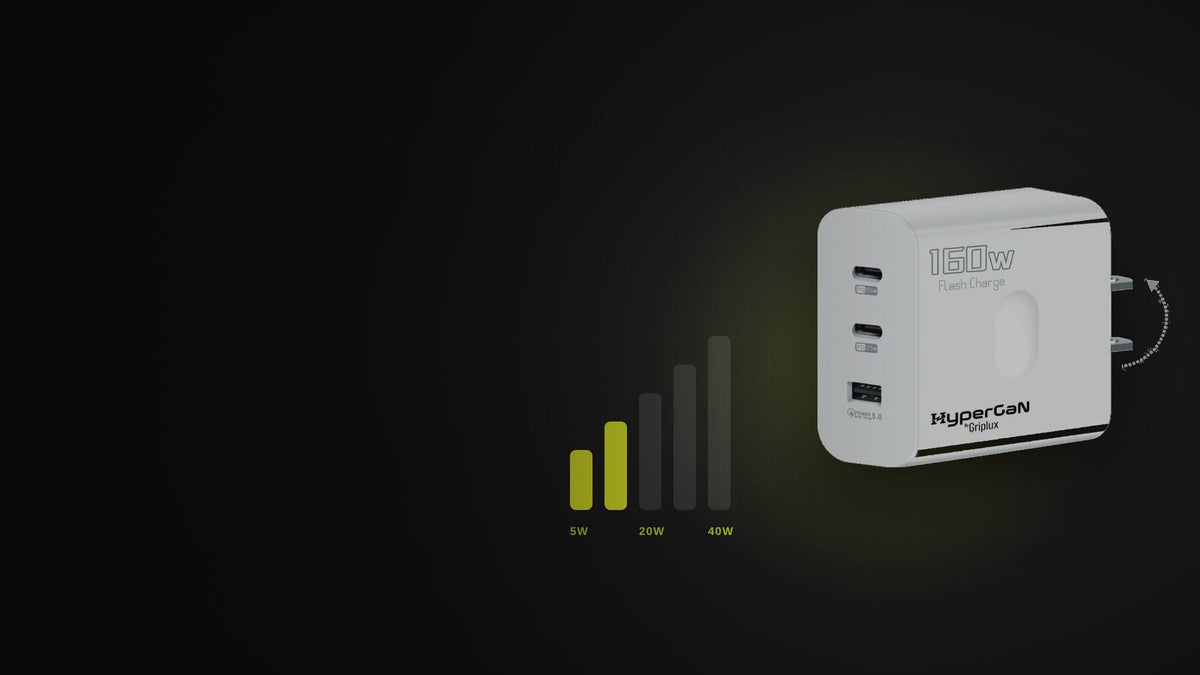
GaN · 2× USB-C PD + USB-A
GripLux HyperGaN GaN Charger
$29.00$78.00
- USB-C1 PD 65W: full speed for any iPhone, including the 17 Pro's 40W
- USB-C2 PD 25W: well above the Slow Charger threshold, ideal for a MagSafe Charger (15W) or a second phone
- USB-A QC 5.0 for older gear (iPhones 15+ cap USB-A at 7.5W, so use the USB-C ports for them)
Add a second one to your cart and it drops to $20. Free shipping.
Retire the 5W cube.
One USB-C GaN brick for your iPhone, your laptop and whatever else ends up on the nightstand. $29.

Slow Charger FAQ
What does "Slow Charger" mean on my iPhone?
It means iOS has detected that a higher-wattage charger could charge your iPhone faster. It appears on the Lock Screen and in Settings, Battery, starting with iOS 18. Apple says it doesn't mean anything is wrong with your iPhone or charger.
Why does my iPhone say Slow Charger with an Apple charger?
Usually because it's an older Apple USB-A charger (5W or 12W), which charges iPhone 15 and later at a maximum of 7.5W, or a dual-port charger shared with another device, or a MagSafe Charger on too small an adapter.
Can you turn off the Slow Charger notification?
Apple doesn't provide a setting to hide it. It goes away when you charge with a USB-C Power Delivery charger of 20W or more, or a MagSafe or Qi2 wireless charger with an adequate adapter.
What wattage stops the Slow Charger message?
Apple flags wired chargers of 7.5W or less and wireless chargers under 10W. In practice, any USB-C PD charger of 20W or more with a USB-C cable avoids it on every current iPhone. USB-A chargers trigger it on iPhone 15 and later regardless of rating.
Does a slow charger damage the iPhone battery?
No. Slow charging is gentle on the battery. The iPhone controls how much power it draws. What to avoid is poor-quality, uncertified chargers and damaged cables, not low wattage.
Why does my MagSafe charger say Slow Charger?
Most often the adapter behind it is too small. Apple's MagSafe Charger needs a 20W USB-C adapter for 15W charging and a 30W adapter (15V/2A) for 25W on newer iPhones. The MagSafe Battery Pack always shows the message.
Why does my iPhone say Slow Charger in the car?
Car USB ports are usually USB-A or low-power USB-C. iPhone 15 and later charge at a maximum of 7.5W from USB-A, which triggers the message. A USB-C PD car charger in the 12V socket fixes it.
Is Optimized Battery Charging the same thing?
No. Optimized Battery Charging pauses at 80% at times the iPhone expects you won't need it, and iPhone 15 and later have an optional charge limit. Both are in Settings, Battery, Charging and are separate from the Slow Charger message.
Keep reading
Troy BaconTroy runs GripLux, an accessory brand owned by Global Trading Partners LLC (ownership details). GripLux sells the HyperGaN charger; the thresholds on this page come from Apple's own support documentation.
Sources
- Apple Support, About iPhone charge speeds (Slow Charger message, 7.5W wired and 10W wireless thresholds, USB-A 7.5W cap on iPhone 15 and later, Incompatible Charger, MagSafe Battery Pack).
- Apple Support, Fast charge your iPhone.
- Apple Support, How to use your MagSafe Charger with iPhone (adapter requirements).
- Apple, iPhone 17 and iPhone 18 Pro technical specifications.
Share:
What Charger Does the iPhone 17 Use? Wattage, Cable and the Fastest Setup
What Does MagSafe Mean? How MagSafe Works on iPhone, Explained Simply