


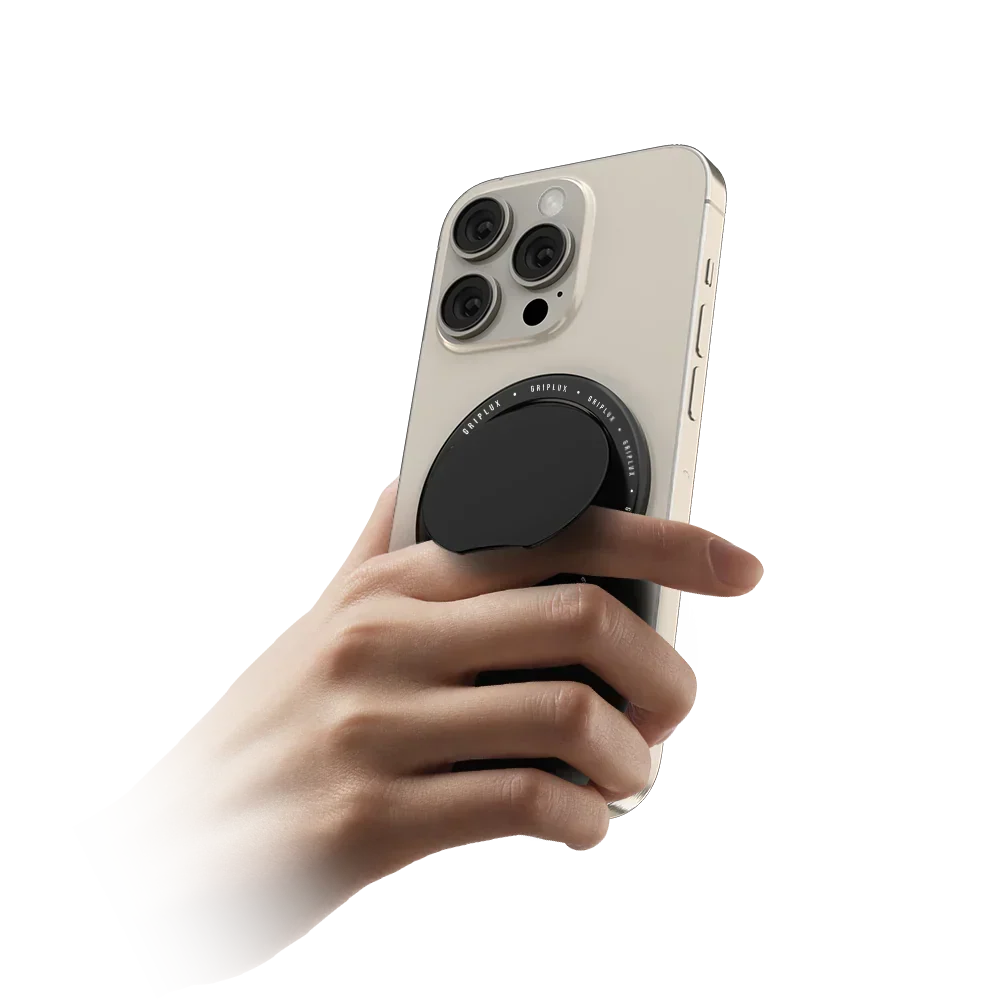
Every magnetic phone grip on the market advertises a holding number. Eleven pounds. Fifteen newtons. Eight hundred grams. Three thousand gauss. Those four figures come from four different brands, they are measured four different ways, and one of them — read literally — is not a unit of force at all. What almost none of them tell you is that the number is measured by pulling straight out from the phone — the one direction gravity never pulls. This guide gives you the real geometry Apple specifies, the physics that decides whether your phone ends up on the pavement, and three calculators that let you check a grip before you buy it.
A MagSafe phone grip is a magnetic accessory that snaps onto the ring of magnets in the back of an iPhone 12 or later — or onto a magnetic case — and gives you something to hold, so you are hooking a phone rather than pinching one. Most also fold into a kickstand.
The magnets are the easy part, and every brand copies the same ring. What separates a grip that lasts from one that slides is the contact face and the height of the grip above the phone. A magnet resists sliding with only a fraction of its rated pull — commonly cited as 10–25% on a smooth face — and a tall grip acts as a lever that peels the magnets off with a small fraction of their rated force. Thin and grippy beats strong.
What is a MagSafe phone grip, exactly?
A MagSafe phone grip is a slim accessory that attaches magnetically to the back of your phone and gives your fingers something to hook into. It replaces the pinch grip — thumb on one edge, fingers on the other, the hold everyone uses by default and nobody chose — with a hold that does not depend on squeezing.
Mechanically it is simple. Apple built a ring of magnets into the back of every iPhone from the 12 onwards, with one exception — the iPhone 16e has no MagSafe array. A grip carries a matching ring. Bring them together and they self-align and clamp. There is no adhesive, no clip, no case requirement beyond the case being magnetically transparent or magnetic itself.
Almost every grip on the market also folds into a stand. That is not marketing filler — it is close to free. Once you have a rigid arm that swings away from the phone body, angling it against a table costs nothing extra to engineer, so a grip that is not also a stand is usually a design choice rather than a limitation.
What a grip is not: a case, a charger, or a mount. It is an accessory that sits on the outside of whatever case you already use, and in Apple’s own language it “shall not enclose the device.” That single sentence in the specification is why grips are thin discs and not shells, and it shapes everything that follows.
Inside the ring: what Apple actually specifies
Apple publishes the MagSafe geometry in the Accessory Design Guidelines, a document written for licensees rather than customers. It is unusually specific, and reading it settles most of the arguments people have about magnetic grips.
| Parameter | Apple’s figure |
|---|---|
| Magnet ring outer diameter | Ø 54.10 mm |
| Magnet ring inner diameter | Ø 46.00 mm |
| Magnet band width (total) | 4.05 mm — two poles plus dead zone |
| Self-alignment capture | within 1.55 mm radial |
| Accessory magnet material | N48H NdFeB, 1.10 mm thick |
| Case magnet material | N45SH NdFeB, 0.55 mm thick |
| Surface flux — ceiling, not target | ≤ 0.215 T (2150 G) |
| Steel back-shield saturation | ≥ 2.0 T, 0.70 mm thick |
| Accessory attach force (spec range) | 650–1510 gf |
| Accessory attach force (acceptance) | 650–900 gf, mean of 5 pulls |
| MagSafe case thickness | ≤ 2.1 mm (2.0 mm recommended) |
Source: Apple Accessory Design Guidelines, §42 “MagSafe Attach” (revision dated 8 June 2026). Accessory attach-force figures are quoted with the mass of the device and eyelet assembly subtracted, per Apple’s accessory verification procedure.
The ring is not a ring of magnets
The detail almost nobody reports correctly: the MagSafe array is not a simple circle of north-up magnets. In cross-section it is two concentric bands of opposite polarity separated by a deliberately non-magnetised gap, which Apple specifies as carrying less than 80 mT.
Two opposed bands with a dead zone between them close the magnetic circuit across the band, concentrating field on the mating face and suppressing it behind. A steel shield returns the rest.
Simplified from Apple Accessory Design Guidelines §42, cross-section figures 42-3 (case) and 42-8 (accessory). Not to scale.
That arrangement matters for buying decisions, because it is the part cheap copies skip. A knock-off can hit the same gauss reading on a meter with a plain axially-magnetised ring and no steel shield, and it will hold noticeably worse, because the flux is spraying out the back instead of returning through the joint. The steel back-plate is doing roughly as much work as the magnets.
“Higher gauss means a stronger grip.” Apple specifies 0.215 T as a maximum permitted surface flux, not a target. A seller quoting a big gauss number is advertising a figure the specification treats as a ceiling — and gauss is field at a point, not force on a phone.
The number every grip advertises — and the one direction it’s measured in
When a grip claims a holding strength, that figure is a breakaway pull force. The industry test, standardised by the Magnet Distributor and Fabricators Association, defines it as the force needed to detach a magnet “when the force is applied normal to the work load surface and through the centre of force of the magnet.”
Apple’s own acceptance test for MagSafe accessories works the same way, with the roles reversed. The accessory is clamped so its MagSafe surface sits level. A non-magnetic eyelet is attached to the phone. A digital force gauge lifts the phone straight up, five times, and the average is taken with the mass of the device and eyelet subtracted.
Read that back and notice what it describes: a perfectly flat, perfectly aligned, perfectly centred, perfectly perpendicular separation. It is the single most favourable loading condition the joint will ever experience.
That is not a criticism of Apple. Attach force is the right thing to standardise for a charger puck, which is what §42 is mostly about. But it means a grip can be fully compliant, pass every published test, and still be the wrong shape to hold a phone. The tests that would catch that do not exist.
Shear: the force that actually drops your phone
Hold your phone upright by a grip. Gravity pulls the phone straight down. The magnets are on a vertical plane. The load is therefore entirely parallel to the magnet faces — pure shear, zero tension. The rated pull force is not being tested at all.
So what resists sliding? Two things, and they arrive in the wrong order.
First, friction — and only friction
The magnets supply clamping force. That clamp presses two surfaces together, and what stops them sliding is friction between them. The available shear is the normal force multiplied by the coefficient of friction, and that coefficient is a property of the contact face, not of the magnet.
Two magnet engineering sources put numbers on this. K&J Magnetics advises assuming a coefficient of 0.1 to 0.25 for a plated magnet against steel, concluding you “might only get 10% to 25% of the listed pull force when loaded this way.” Eclipse Magnetics states that a magnet starts to slide at roughly one-fifth of its pull force, about 20%, rising to a third for a rigid pot-magnet assembly.
Second, the magnetic detent — but not yet
A MagSafe grip on a MagSafe phone is a keyed magnet-to-magnet joint, so there is also a magnetic centring force resisting lateral movement. K&J measured this directly and found it runs 40–75% of pull force, using 50% as a working rule.
That sounds like it rescues the situation. It does not, for one reason that their own testing makes explicit: the centring force is zero at perfect alignment. It peaks around half an inch of offset. A grip sitting correctly on its ring has no detent working for it. The magnetic resistance only appears after the joint has already started to move — which is to say, after your phone has already begun to slip.
You will find both “shear is 20% of pull” and “shear is 50% of pull” in reputable magnet literature. They are not in conflict. The first describes friction-limited sliding in flush contact; the second describes magnet-to-magnet lateral registration across a gap with friction deliberately excluded. For a grip at rest, correctly aligned, the first number governs.
Run the arithmetic and it gets uncomfortable
Apple’s minimum compliant accessory attach force is 650 gf. An iPhone 17 Pro weighs 206 g; a 17 Pro Max weighs 233 g. Take a smooth-faced grip at the low end of the friction range:
650 gf × 0.20 = 130 gf of available shear — against a phone that weighs 206 g.
Grips do not fall off constantly, and the reason is the thing nobody advertises: real grip faces are silicone, TPU or textured polymer with a friction coefficient far above 0.2, and once a slip starts the ring detent finally engages and arrests it. The margin is real. But it is bought by the contact surface, not by the magnets — and a hard, glossy, mirror-finish grip face is the single worst choice you can make. It also happens to be the choice that photographs best.
Will your grip actually hold your phone?
Pick your phone, set the grip’s advertised pull force, and choose the contact face. The tool converts the advertised figure into the force that is genuinely available when the phone hangs vertically, and compares it to what the phone weighs.
Shear fractions are anchored to published engineering guidance: 10–25% for friction-limited sliding (K&J Magnetics), ~20% flat and ~33% for a pot magnet (Eclipse Magnetics), and up to ~200% for rubber or polyurethane faces — modelled conservatively here at 100%. This estimates static holding only; a swinging or jolted phone loads the joint far harder.
Two things the calculator cannot know, and you should weigh yourself.
Dynamic loads dwarf static ones. A phone hanging still is the easy case. A phone jolted as you pull it out of a pocket, or bounced on a car mount over a pothole, sees peak forces several times its own weight for a few milliseconds. If the static margin is 1.2×, the dynamic margin is below 1.
The case is part of the joint. Every friction figure above describes the grip against your case, not against bare glass. A slick hard-shell case and a slick grip face compound. A soft-touch case and a silicone grip face compound the other way. This is the cheapest upgrade available to you, and it costs nothing: the case underneath changes the answer as much as the grip does.
The lever-arm problem, or why thin actually wins
Shear explains the slow slide. Peel explains the sudden pop — the grip that was fine all week and then detached in your coat pocket.
When a load acts at a height above the magnet plane, it does not just pull; it rotates. Take moments about the tipping edge of the ring and you get a straightforward bound on how much torque the joint can resist before it starts to lift:
Fdetach(h) ≈ Fattach × Rring ÷ h
Where Rring is the MagSafe ring’s outer radius, 27.05 mm, and h is the height at which the load acts above the magnet plane. Derived from statics, not quoted from a vendor — no manufacturer publishes a peel figure.
The consequence is stark. At h = 27 mm, a sideways load has exactly the same detaching effect as the full rated pull force applied straight out. At 54 mm, half the rated force pops it off. At 108 mm, a quarter.
And the real behaviour is worse than that bound, for a specific reason. Peel is progressive. The calculation above assumes the whole ring resists right up to the instant of failure. In reality the leading edge lifts first, and because the magnets are only 0.55 mm and 1.10 mm thick, the force at that edge collapses over a fraction of a millimetre of separation. The load redistributes onto a shrinking arc of contact, which lifts in turn. The joint unzips.
Drag to see how height destroys holding power
Held constant: a rated attach force of 900 gf, mid-band for a compliant MagSafe accessory. Only the height at which the load acts changes. This is why a 2.8 mm grip and a 13 mm grip behave nothing alike, however similar their magnet specs read.
Manufacturer-published thicknesses, folded. A deployed finger loop or a tall kickstand raises the effective load height well beyond the folded figure — which is exactly when grips let go.
Apple evidently knows this. The specification imposes a 30 mm keep-in radius around the ring, a 6 mm clearance rule beyond it, and an enclosure profile that permits a height of just 0.01 mm at 30 mm from centre, rising to only 0.92 mm at 27.2 mm. In plain terms: a compliant accessory must taper to nothing at its rim. Every one of those rules is lever-arm and snag control.
Convert the market’s numbers into one unit
Here is a genuine problem with shopping for a magnetic grip in 2026. These are all real, current, published holding claims from major brands:
| Brand claim | As published | What it means |
|---|---|---|
| Rokform MagMax | 11 lb | Force, imperial — 48.9 N |
| Mous Ring & Stand | 15 N / 1.5 kg and 10 N / 1 kg | Correct units — but two different figures on the same page |
| Anker 610 MagGo | 800 g | Mass used as force — 7.8 N |
| Sinjimoru M-Tap Tok | “3000G” | Reads as gauss, marketed as grams. Not a force at all if it’s gauss. |
| Benks, LoveHandle | “N52” | A material grade, not a holding figure |
| PopSockets MagSafe | “40% stronger” / “50% stronger” | Two different figures for the same product, depending on the retailer |
Claims as listed on brand and major-retailer product pages, checked August 2026. Where a brand publishes conflicting figures we show both.
None of these are comparable as written, and at least one of them is a unit error dressed as a specification. So convert them yourself.
Put any grip claim into every unit
Type the number a brand advertises, pick its unit, and read the equivalents. The reference line at the bottom tells you where that figure sits against Apple’s own specification band.
—
Apple’s specification caps accessory attach force at 1510 gf, about 14.8 N. Yet the only outlet publishing pull-force figures for grips at all — MobileReviews-eh — reports 33 to 43 N across the five grips in its round-up, roughly two to three times Apple’s ceiling. That outlet does not publish its test method, which is itself part of the problem.
Those two datasets cannot both be measuring the same thing. The likely explanation is a different test geometry or a phone-plus-case stack rather than an accessory against a bare device. Either way, the lesson stands: treat claimed and independently measured figures as separate columns, and never compare across them.
“N52” is a downgrade, not an upgrade
N52 is the most-advertised magnet grade in this category, and buying on it is close to backwards.
The number after the N is the maximum energy product in mega-gauss-oersteds. It is a measure of how much magnetic energy the material stores, not a strength multiplier. Going from N42 to N52 raises remanence by about 11%, and since force scales roughly with the square of remanence, buys you somewhere around 24% more force in identical geometry. Real and useful — but second-order compared with gap, contact face and steel backing.
The suffix after the number is the part that matters, and almost nobody advertises it.
| Grade suffix | Max operating temp | Where it’s used |
|---|---|---|
| N (no suffix — e.g. N52) | 80 °C / 176 °F | Most cheap grips |
| M | 100 °C | — |
| H | 120 °C | Apple’s accessory magnets (N48H) |
| SH | 150 °C | Apple’s case magnets (N45SH) |
| UH / EH / AH | 180–220 °C | Industrial, motors |
Grade and temperature data: K&J Magnetics published specifications. Apple grades from Accessory Design Guidelines §42, tables 42-1 and 42-2.
Apple could have specified N52 and did not. It chose N45SH for case magnets and N48H for accessory magnets — trading a few percent of remanence for 40 to 70% more intrinsic coercivity and 40 to 70 °C of extra thermal headroom.
Why that trade is the right one, in one number
Arizona State University researchers measured interior surfaces in cars parked in the sun on days in the 100s Fahrenheit. After one hour, dashboards reached 69.4 °C (157 °F).
A plain N-grade magnet is rated to 80 °C. That is 10 degrees of margin on a phone mount on a dashboard, before you account for a darker dash, a hotter day, direct sun on a black grip, or a phone charging under load underneath it. Cross that line and the loss is irreversible — it does not come back when the car cools down. Apple’s N48H has 50 degrees of margin; its N45SH has 80.
“N52 is the strongest, so it’s the best grip magnet.” N52 buys around 20–25% more force in ideal geometry and costs you 40 °C of thermal headroom. If a grip advertises N52 and nothing else, what it is telling you is that nobody specified the temperature rating — and a car dashboard already runs within ten degrees of that grade’s ceiling.
“Magnetic force falls off as one over distance squared.” Not for this geometry. Inverse-square applies to an idealised point pole. Two aligned magnets in the far field fall off closer to the fourth power. Near contact — the MagSafe regime — force is set by the field at the interface and is nearly flat across tiny gaps, then falls off a cliff once the gap approaches the magnet’s own thickness. Quoting inverse-square makes small gaps look more forgiving than they are.
How much a gap really costs you
The governing principle is that the decay length scales with magnet thickness. Thin magnets fall off a cliff; thick ones don’t. K&J measured a 3.17 mm-thick N42 disc at 6.44 lb flush, dropping to 3 lb at a gap of just 0.76 mm — a 53% loss at three-quarters of a millimetre. A thicker one-inch magnet, measured the other way, held on to 75% of its surface field at twice that distance — a different quantity, but the same lesson about thickness.
MagSafe magnets are 0.55 mm and 1.10 mm thick. A one-millimetre air gap is one to two full magnet thicknesses — squarely in the steep part of the curve. That is why Apple caps MagSafe case thickness at 2.1 mm, and why a non-magnetic case much beyond 2 mm feels dead.
Why magnetic grips get weaker after a few months
Search reviews for any popular grip and you will find this complaint. One verified purchaser of a market-leading grip reports the magnetism “wore off after about 4 months,” after which “the phone will slide or fall off surfaces.”
Here is the thing: at room temperature a sintered neodymium magnet is stable over years. Magnet manufacturers quote service lives measured in decades and long-term flux losses of a fraction of a percent. Four months in a pocket is not measurably demagnetising anything. So the complaint is real, and the explanation everyone reaches for is wrong.
What actually degrades:
- Ferrous debris in the joint. The ring is a magnet trap. Grit, iron dust, sand and pocket lint accumulate on the mating face and hold the two surfaces apart. Half a millimetre of trapped debris is, per the figures above, worth roughly half the holding force. This is the most common cause and the easiest fix — wipe both faces.
- Hinge and mechanism wear. The magnets are fine; the arm has developed play. What you feel as “weak” is a joint that now wobbles under load, which raises the effective lever arm and starts the peel process earlier.
- Adhesive creep, on any grip that uses a stick-on plate. The bond softens under sustained shear and heat, and the whole assembly migrates a millimetre at a time.
- Case fatigue. If your magnets live in the case rather than the phone, the case is the wear item — and it is the cheaper thing to replace.
- Genuine thermal loss, but only if it has been cooked. One hot summer on a dashboard, once, is enough for an N-grade magnet, and it will not recover.
Take the grip off, wipe both mating faces with a dry cloth, and reattach on a bare MagSafe-compatible surface with no case. If the strength is back, it was debris or the case. If the hinge still wobbles, it is the mechanism. If it is weak on bare contact with a clean face, and it has lived in a car, it is thermal — and it is permanent.
Will it charge through? The stack-height problem
This is the most common real-world failure with magnetic grips, and it is the one nobody documents properly on a product page. The symptom is distinctive: you set the phone on an Apple MagSafe puck and it connects and disconnects over and over, chiming repeatedly, never settling into a charge.
The cause is geometry, not compatibility. A grip and a wireless charger want the same surface — the back of your phone. A grip advertised as “charge-through” solves that by carrying magnets on both faces and leaving its centre open, so the charger clamps to the outside of the grip and its field passes through the hole. That works, at a cost: the charger’s coil is now further from the phone’s coil by the full thickness of the grip, plus your case.
Push that stack too far and two things fail together. The magnetic hold between charger and grip weakens, and the coil coupling drops far enough that the charger negotiates, fails, and retries. That is the chiming.
Will your case-and-grip stack still charge?
Apple designs MagSafe around a case of 2.1 mm or less. Everything you add sits on top of that budget. Set your stack and see where you land.
A rules-based estimate, not a measurement. Bands are anchored to Apple’s published 2.1 mm MagSafe case limit and to measured magnetic gap-decay behaviour for thin magnets. Charger design, coil size and case material all shift the boundaries — treat this as a shortlist filter, then test.
Three things that make the difference
A metal back is disqualifying. Wireless chargers run foreign-object detection: they estimate power sent, compare it with power the phone reports receiving, and attribute the residual to something metallic in the field. Metal in the coil path develops eddy currents and heats. When the charger detects it, it renegotiates downward — so the practical symptom of a foreign object is often slow charging rather than a hard stop, which is why people misdiagnose it as a bad charger.
Certified MagSafe cases are not an air gap. A case that claims MagSafe compatibility must contain its own magnet array; it re-transmits rather than attenuating, and Apple’s attach-force targets are specified with the case fitted. “Thick case equals weak MagSafe” is only true for cases without magnets, where the full wall thickness is genuine gap.
Alignment is worth more than you think. iFixit measured a full charge on an iPhone 15 Pro at 18.25 Wh wired and 23.33 Wh over a properly aligned Apple MagSafe charger — roughly a 28% energy penalty. On a misaligned flat pad the same charge cost 33.93 Wh, an 86% penalty. Misalignment roughly triples the waste. Magnetic alignment is the mechanism that recovers most of what first-generation Qi wasted, and a grip that shifts the charger even slightly off-centre gives some of it back as heat.
25 W: iPhone 17, 17 Pro, 17 Pro Max, 16 Plus, 16 Pro Max. 22.5 W: iPhone 16 and 16 Pro. 20 W: iPhone Air. 15 W: iPhone 17e and iPhone 15 and earlier. The higher tiers need a 30 W or better adapter supplying 15 V at 2.0 A. Note that 25 W is not simply “iPhone 16 and later” — the base 16 and 16 Pro sit a tier below their siblings.
Magnets, credit cards, hotel keys and pacemakers
Adding magnets to the back of a phone raises three questions that deserve straight answers rather than either hand-waving or scare copy.
Will it wipe my credit cards?
Not a bank card, and the margin is large. Erasing a magnetic stripe means exceeding its coercivity. High-coercivity stripes — every credit and debit card — sit near 2,750 oersteds. Apple caps MagSafe surface flux at 2,150 gauss, and the static field reported at the back surface of a MagSafe iPhone is upwards of 50 gauss. Even the specification’s absolute ceiling is below what a bank card needs, and the field you actually encounter is far below that.
Low-coercivity stripes deserve a more careful answer. Hotel keys and transit passes sit near 300 Oe, well above the field at the back of the phone but below the maximum Apple permits at the magnet band itself. Empirical work by K&J Magnetics found that a magnet with a 5,903 gauss surface field had to come within about 1.6 mm to corrupt a card — so the one case worth avoiding is direct, prolonged contact between a grip’s magnets and a hotel key. Your bank card is fine.
So why does Apple warn about cards?
Because the real risk is a different mechanism entirely, and it is genuine. Apple’s wording is precise: don’t place cards, badges, passports or key fobs between your iPhone and a MagSafe charger. Not near the magnets — inside an active charging field.
A contactless card’s antenna is tuned for 13.56 MHz, but it still couples strongly enough to a wireless charger’s field at around 120 kHz, and the chip has no protection at that frequency. STMicroelectronics’ own application note on protecting its RFID tags from wireless charging puts the worst-case induced open-circuit voltage at 100 V, against chips rated for 4 to 5.5 V peak-to-peak. Destruction confirmed inside a 15 W Qi system.
“Magnets kill RFID and chip cards.” Wrong mechanism. RFID and EMV chips store data as electrical charge, not magnetic domains — a static magnet cannot erase them. The charger’s alternating field can destroy them outright. A magnetic grip sitting against your wallet is harmless. A card sandwiched against a live charging puck is not.
Pacemakers and implanted devices
This one is real, well-studied, and routinely reported at both extremes. Here is the middle.
Implanted pacemakers and defibrillators contain a magnet-mode switch that trips above about 10 gauss. FDA scientists measured iPhone 12 and Apple Watch models exceeding that threshold at 1 to 11 mm and falling below it somewhere between 11 and 20 mm. So the field crosses the trigger threshold at roughly two centimetres.
The clinical picture matches. The largest in-vivo study, covering 164 patients with implanted devices, found magnet mode activated in 18.3% — but only with the phone placed directly on the skin over the device pocket. A separate study of seventeen patients holding the phone over clothing recorded zero events. Its authors concluded that interactions “occur only in close proximity and with precise alignment,” and that the advice needed is simply not to rest the phone on the skin above the implant.
Apple relays the medical-device industry’s own guidance: keep a potential source of interference at least 6 inches (15 cm) from an implanted device, or 12 inches (30 cm) when a wireless charger is in use — and consult your physician and the device manufacturer for specifics. That covers all consumer electronics, not MagSafe specifically. The FDA recommends six inches and states plainly that it “believes the risk to patients is low” and is not aware of any adverse events.
A reproducible physical effect that needs near-contact and alignment, no reported harm, and a trivial fix. A magnetic grip does add magnets to the back of the phone, which is the face that matters here. Bench testing on this is reassuring rather than alarming — one study of sixteen devices in an isolated model found a magnetic case did not raise the rate of magnet-mode activation over a bare phone. If you or someone who borrows your phone has an implant, keep the phone out of a breast pocket on that side, and don’t rest it on the chest. That is the whole precaution. If you have an implanted device, your cardiologist and the device manufacturer are the right people to ask about your specific hardware — this article is not medical advice.
Does a phone grip actually help your hand?
This is where most grip marketing writes cheques the literature will not cash, so let us separate what is measured from what is merely plausible.
What is measured
Phones got heavy. An iPhone 17 Pro Max weighs 233 g against an iPhone SE (3rd generation) at 144 g and an iPhone 13 mini at 141 g. That is 62 to 65% more mass, spread across a body 16% wider than the SE and 22% wider than the mini, held by the same hand.
Most people hold a phone one-handed. The most-cited observational study of the question logged 1,333 sightings of people using phones in public; of the 780 in which someone was actually touching the screen, 49% were one-handed, 36% cradling and 15% using two hands. It dates from 2013, before large-screen phones, so treat it as directional rather than current.
Screen size changes how you hold it. A 2015 study measuring muscle activity while texting found that as touchscreen size increased, more participants put the device in their lap and used both thumbs less, with a trend toward greater finger flexor, wrist extensor and trapezius activity. One-handed texting produced greater wrist extensor activity than two-handed.
Thumb and wrist complaints are common and correlate with device size. A survey of 2,000 people found 44% reporting musculoskeletal pain, with the thumb the second most common site after the neck, and a statistically significant association with the size of the phone.
What is not measured — and we are not going to pretend otherwise
What can be said honestly is mechanical. A bare phone is held by opposed pinch — a sustained, low-grade squeeze that has to be maintained continuously to stop the phone falling. A grip converts that into a hook, where your fingers bear weight in flexion and the squeeze is optional. That is a real change in load path, and it is consistent with what the ergonomics literature says about one-handed device loading. It is just not the same thing as a trial, and we are not going to dress it up as one.
The survey evidence above is cross-sectional and self-reported, so it establishes association, not causation. The wider “texting thumb” literature is shakier still: it leans on the Finkelstein test, a screening manoeuvre with a high false-positive rate rather than a diagnosis, and reports prevalence anywhere from 19% to 53% across similar student populations — a spread that tells you more about the measure than about thumbs.
The case that does not depend on any of that
You drop your phone about seven times a year, according to Corning’s consumer research, with more than half of those drops from a metre or less. (You will see “208 times a year” quoted widely. It traces to a sponsored PR survey, contradicts Corning’s figure by roughly thirtyfold, and should be ignored.)
An out-of-warranty screen replacement on a current iPhone runs $329 to $379 from Apple. With AppleCare+ the screen deductible is $29. A grip costs about the same as that deductible and roughly a tenth of the out-of-warranty repair. It does not need to prevent many drops to pay for itself.
MagSafe phone grips on Android: Qi2, “Qi2 Ready” and the magnet loophole
Short version: it depends entirely on your specific phone, and the marketing is designed to obscure that.
The Wireless Power Consortium introduced the Magnetic Power Profile in Qi v2.0 in April 2023, derived from technology Apple contributed. Qi v2.2 raised the ceiling to 25 W in April 2025, and v2.2.1 launched as “Qi2 25W” that July. A device certified under the magnetic profile has magnets. The WPC has been explicit that a phone without magnets cannot use the Qi2 logo and must state on its packaging that it does not include them.
Then, at CES in January 2025, came “Qi2 Ready” — a designation where the phone has no magnets and the magnets live in a case, with the phone-plus-case pair certified rather than the phone. It is a reasonable engineering compromise and a genuinely confusing label.
| Phone | Magnets built in? | What that means for a grip |
|---|---|---|
| iPhone 12 and later, except iPhone 16e | Yes | Works directly, or through any MagSafe case |
| iPhone 16e | No | Not a MagSafe device — needs a magnetic case |
| Google Pixel 10 series (“Pixelsnap”) | Yes, all four models | Works directly |
| HMD Skyline | Yes | Works directly |
| Motorola Edge 70 Max | Yes | Works directly |
| Samsung Galaxy S25 series | No — “Qi2 Ready” | Needs a magnetic case |
| Samsung Galaxy S26 series | No — still none | Needs a magnetic case |
| Most other Android phones | No | Magnetic case, or a stick-on adapter ring |
Samsung’s stated reasoning is that 83% of Galaxy owners already use a case, so the magnets went into the cases, and that the internal space was better spent on thinness and larger batteries.
If your phone has no magnets, you have two routes and they are not equal. A magnetic case puts a proper ring in the right place and behaves like the real thing. A stick-on steel adapter ring gives you attraction but no keying, which means no magnetic detent at all — permanently the friction-only case from the shear section. Thin steel discs also saturate: an under-thick plate cannot carry all the flux and returns considerably less than the magnet’s rated pull.
The six-point grip check
Run any grip you are considering through this before you buy. Score four or more and you are on solid ground. Tick the boxes that apply.
Every MagSafe phone grip, normalised
The single most useful thing anyone could publish about this category is a table where all the numbers are in the same units. So here it is. Tap any column heading to sort.
Two rules were applied. Nothing is estimated — where a figure is not published anywhere, the cell says so rather than guessing. And claimed figures are kept separate from independently measured ones, because as shown above, they do not reconcile.
| Grip | Price | Weight | Thickness | Claimed hold | Measured hold | Charge-through |
|---|---|---|---|---|---|---|
| GripLux Luxi Snap Grip | $31.99 | 14.4 g | 2.8 mm | not published | — | Yes |
| OhSnap Snap Grip (gen 5) | $29.99 | not published | 3.0 mm | not published | — | Yes, conditional |
| OhSnap Snap Grip Stand | $39.99 | not published | 3.4 mm | not published | — | No |
| Tango Ultra Thin Grip | $30 | 26.9 g | 3.3 mm | not published | 42.0 N | not published |
| Benks ArmorPop | $29.99 | 22 g | 3.9 mm | “N52” only | — | No |
| Andobil Ultra-Thin | $30 | 26 g | 3.9 mm | not published | 35.3 N | not published |
| MOFT Snap-On Stand | not published | 40 g | 5.0 mm | not published | — | not published |
| Mous Magnetic Ring & Stand | $24.99 | 29 g | 5.7 mm | 15.0 N | — | No |
| PITAKA MagEZ Grip | $24.99 | 37 g | 5.9 mm | not published | — | not published |
| Rokform MagMax Sport Ring | $39.99 | 47 g | 6.0 mm | 48.9 N | — | No |
| MOFT Snap Phone Tripod | $40 | 90.4 g | 7.0 mm | not published | 33.0 N | Dual-sided |
| PopSockets Kick-Out Grip | $40 | 27.2 g | 7.5 mm | “40–50% stronger” | 43.0 N | Yes |
| UAG Monarch Mag2 | $55 | 62.7 g | 8.7 mm | not published | 36.4 N | not published |
| LoveHandle PRO for MagSafe | $38 | not published | ~12.7 mm | “N52” only | — | No |
| Anker 610 MagGo | not published (US) | not published | not published | 7.8 N | — | not published |
| Apple × Hikawa Grip & Stand | $54.95 | not published | not published | not published | — | not published |
Swipe the table →
Prices and specifications as published by manufacturers and major retailers, checked August 2026, US market. “Measured hold” figures are from MobileReviews-eh, the only outlet publishing pull-force figures for this category; note that it does not describe its test method, so these are not directly comparable to Apple’s specification. Claimed figures converted to newtons at 1 kgf = 9.81 N and 1 lbf = 4.448 N. Rows marked “not published” are genuinely unpublished, including our own.
Read down the “not published” column and you have the real state of this market. Of 16 products, only three commit to a holding force in a real unit — and five will not tell you what their grip weighs. That is not an accident of documentation; a specification you publish is one a reviewer can check. Our own MagSafe phone grip is in that table on the same terms, and it is one of the rows that does not publish a figure.
Which MagSafe phone grip is right for you?
There is no single best magnetic grip, and any article that names one without asking what you own and how you carry it is selling something. There is a right answer per situation.
| If this is you | What to look for | Why |
|---|---|---|
| Jeans pocket, all day, every day | Under 3.5 mm folded, no protruding ring | Pocket seams are the classic peel failure. Height is the variable that decides whether it survives. |
| You charge on a MagSafe puck nightly | Open centre, both faces magnetic, thin case | Your case plus grip is the charging stack. Over about 4 mm total you enter the connect-disconnect zone. |
| Big, heavy phone — Pro Max or equivalent | Soft contact face above all else | 233 g in pure shear is the hardest case. Friction, not magnet grade, is what holds it. |
| Filming, vlogging, hands-free video | Accept the thickness — buy a tripod-style grip | Here the stand geometry genuinely matters more than the lever arm, because it lives on a desk, not in a pocket. |
| Car mount, daily commute | Temperature-rated magnets (H or SH), never bare N52 | A sunlit dashboard hits 69 °C in an hour. N-grade tops out at 80 °C, and that loss is permanent. |
| Samsung Galaxy or most Android | A magnetic case, not a stick-on ring | An adapter ring gives attraction with no magnetic keying — friction only, permanently. |
| You want the cheapest thing that works | Honestly? An adhesive grip | An adhesive PopGrip is around $10 against $30–40 for magnetic. If you never wirelessly charge, magnets buy you convenience, not capability. |
When not to buy a magnetic phone grip
An honest guide needs this section.
- Your phone has no magnets and you won’t change cases. A stick-on adapter ring is a compromised version of the product, permanently in the friction-only regime. If you are not willing to run a magnetic case, an adhesive grip will serve you better.
- You already have a case with a built-in grip or strap. An integrated loop has no magnetic joint to fail, no lever arm to speak of, and nothing to lose in a pocket. It is a genuinely better engineering answer, it just locks you into one case.
- You want maximum wireless charging speed. Every millimetre you add costs coupling. If your priority is the fastest possible top-up on a puck, the fastest configuration is a thin case and nothing else on the back.
- You will not spend more than about $15. Below that, in this category, you are buying an unspecified magnet grade, no steel shield, and a hinge that is the first thing to fail. A good adhesive grip at $10 beats a bad magnetic one at $14.
- You have an implanted cardiac device and keep your phone in a breast pocket. The precaution is small and specific — but a grip adds magnets to exactly the face that matters. Talk to your cardiologist first.
The GripLux answer: the MagSafe Luxi Snap Grip
We designed the Luxi around the two variables this article says actually decide whether a grip works: mass and lever arm. At 14.4 g and 2.8 mm it is, as far as we can find, the lightest grip in the category and among the two or three thinnest — and per the lever equation, 2.8 mm means a snag has almost no mechanical advantage against the ring.
MagSafe Luxi Snap Grip
A two-finger magnetic grip that folds flat to 2.8 mm and locks into a 42–48° stand. Open centre, so it charges through.
Fits any MagSafe case on iPhone 12 and later, and any magnetic case on Android. Slide the arm out for a two-finger hold, lock it back and it sits flush. Available in black and white.
Running our own grip through our own six-point check
It would be easy to write a checklist our product happens to ace. We didn’t, so here is the Luxi scored honestly against it.
| Check | Luxi Snap Grip |
|---|---|
| Publishes a holding force in a real unit | No. We do not currently publish one, and we are not going to convert a supplier’s marketing figure into a number that looks measured. We are having it instrumented and this page will carry the result. |
| Soft, non-glossy contact face | Partly. The body is polycarbonate, not silicone. A softer face would do better in pure shear — that is a real trade we made for thinness, and you should know about it. |
| Under 4 mm folded | Yes — 2.8 mm. Among the thinnest available, which is where most of its real-world holding advantage comes from. |
| States charge-through plainly | Yes. Open centre, magnets on both faces. At 2.8 mm it adds less to your charging stack than any grip we can find — though as the checker above shows, a grip plus any case puts you past the 2.1 mm Apple budgets for a case alone. Pair it with the thinnest case you will tolerate. |
| Temperature-rated magnet grade | Not published. Same answer as the first row, and the same fix. |
| Real company, real warranty | Partly. A findable US business with real support, 30-day returns and email tracking — but a returns window is not a warranty, and we do not currently publish a warranty term. That is a fair thing to hold against us. |
Two clear passes, two partials, two we cannot claim at all. That is below the four-out-of-six bar we set two sections ago, and we are not going to move the bar to clear it.
What it means in practice: the Luxi is a grip you buy for its mass and its profile. Nothing else in the category is 14.4 g, and at 2.8 mm the lever arm that peels grips off in pockets barely exists. If instead what you need is maximum shear resistance on a 233 g phone in a slick hard case, a heavier grip with a silicone contact face is the better tool — and we would rather tell you that than sell you the wrong thing.
Frequently asked questions
What is a MagSafe phone grip?
A MagSafe phone grip is a slim accessory that attaches magnetically to the ring of magnets built into iPhone 12 and later (the iPhone 16e excepted), or to a magnetic case on any other phone, giving your fingers something to hook into instead of pinching the phone’s edges. Most fold flat when not in use and open into a kickstand. It attaches with magnets rather than adhesive, so it can be removed and repositioned without residue.
Do MagSafe phone grips work with wireless charging?
Some do and some absolutely do not, and a large share of the market does not say which on the product page. A grip that charges through has an open centre and magnets on both faces, so the charger clamps to the outside of the grip and its field passes through the hole. A grip with a solid or metal back blocks charging entirely and can trip the charger’s foreign-object detection.
Even with an open-centre grip, total thickness matters. Your case plus the grip is the coil separation the charger has to work across. Apple designs MagSafe around a case of 2.1 mm or less, so a thick case plus a thick grip can produce the classic repeated connect-and-disconnect chiming.
Will a magnetic phone grip damage my phone?
No. The magnets are the same type and strength class as the ones already inside your phone, and Apple specifies a maximum surface flux for accessories that keeps them well inside safe limits. A compliant accessory will not affect the screen, battery or storage, and Apple’s specification separately requires that accessories not disturb autofocus or optical image stabilisation, or repeatedly trigger compass recalibration. Those last two are the real failure modes, and they are exactly what an uncertified magnet of unknown strength risks — which is the argument for buying from someone who builds to the specification rather than around it.
Why does my magnetic phone grip keep falling off?
Almost always one of four things, in order of likelihood:
- Debris in the joint. The ring is a magnet trap. Grit and iron dust hold the faces apart, and a fraction of a millimetre costs a large fraction of the holding force. Wipe both faces.
- A slick contact face against a slick case. Magnets resist sliding only through friction, and on smooth surfaces that is as little as 10–25% of the rated pull.
- Height. A tall grip is a lever. The taller it stands above the magnets, the less force is needed to peel it off at the edge.
- Heat. A grip cooked on a car dashboard can take a permanent loss if its magnets are standard N-grade, which tops out at 80 °C.
Do MagSafe grips work through a phone case?
Through a MagSafe-certified case, yes, and that is the intended configuration — a certified case contains its own magnet array and re-transmits rather than blocking. Apple’s own attach-force targets are specified with the case fitted.
Through a plain case with no magnets, it depends entirely on thickness. That case wall is a genuine air gap, and MagSafe magnets are only 0.55–1.10 mm thick, so holding force falls away steeply past about a millimetre. Beyond roughly 2 mm of non-magnetic case, most grips feel dead.
Do magnetic phone grips work on Android?
It depends on your specific phone. Google’s Pixel 10 series, the HMD Skyline and the Motorola Edge 70 Max have magnets built in and work directly. Samsung’s Galaxy S25 and S26 do not — they are “Qi2 Ready,” which means the magnets live in a case rather than the phone.
If your phone has no magnets, a magnetic case is much better than a stick-on steel adapter ring. The case gives you a proper keyed magnetic joint. A steel ring gives attraction with no keying at all, which leaves the grip relying on friction alone, permanently.
Can a MagSafe grip erase my credit cards or hotel key?
Not a bank card. Erasing a magnetic stripe means overcoming its coercivity, which is around 2,750 oersteds for a credit or debit card. Apple caps MagSafe surface flux at 2,150 gauss and the field reported at the back of the phone is a small fraction of that, so even the specification’s ceiling falls short of what a bank card needs.
A hotel key is a closer call, at around 300 Oe. That is comfortably above the field at the back of the phone, but not above what is permitted right at the magnet band, so avoid pressing a grip’s magnets directly against a room key for any length of time.
The real risk is different and worth knowing. A contactless card or key fob sandwiched between your phone and an active wireless charger can have its chip destroyed by induced voltage from the charger’s field. That is why Apple warns about cards near chargers, and it has nothing to do with the magnets.
Are phone grips worth it?
The honest case rests on economics rather than ergonomics. Corning’s consumer research puts drops at about seven per year, more than half from a metre or less. An out-of-warranty iPhone screen replacement from Apple runs $329–$379, or a $29 deductible with AppleCare+. A grip costs about the same as the deductible and roughly a tenth of the out-of-warranty repair.
On hand strain, be sceptical of anyone who claims proof. Phones have got heavier — an iPhone 17 Pro Max is about 62% heavier than an iPhone SE — and larger devices correlate with more thumb and wrist complaints in survey data. But no peer-reviewed study has compared a grip against a bare phone, so the mechanical argument that a hook beats a pinch is reasonable, not proven.
Does a magnetic grip get weaker over time?
The magnets do not, in any meaningful way. At room temperature sintered neodymium is stable over years, and manufacturers quote service lives measured in decades. What people experience as weakening is nearly always mechanical: ferrous debris trapped in the joint, hinge wear that introduces play, adhesive creep on stick-on designs, or a tired case if your magnets live in the case rather than the phone.
The exception is heat. If a grip with standard N-grade magnets has spent a summer on a sunlit dashboard, it may have taken a genuine, permanent loss, because those grades are rated only to 80 °C and dashboards reach roughly 69 °C within an hour.
MagSafe grip or PopSocket — which is better?
Magnetic wins on convenience: no adhesive, no residue, repositionable, removable in a second, and compatible with the rest of the magnetic accessory ecosystem. Adhesive wins on two things people underrate — price, at roughly $10 against $30–40, and raw shear resistance, because a bonded pad does not rely on friction the way a magnetic joint does.
If you rarely wireless charge and never swap accessories, adhesive is still a defensible choice and a third of the price. If you charge on a puck, use a car mount, or change cases, magnetic is worth the premium.
What’s the strongest MagSafe grip?
Nobody can answer that reliably, because the published numbers are not comparable. Current claims across major brands include 11 lb, 15 N, 800 g, “3000G” and “N52” — four different units, one of which reads as a magnetic field rather than a force, and one of which is a material grade.
More importantly, “strongest” usually means highest pull force, which is measured by pulling straight out from the phone — the one direction gravity never pulls. For real-world holding, a soft contact face and a low profile matter more than the headline figure.
Do MagSafe grips work on iPhone 11 or older?
Not directly — the magnet ring arrived with the iPhone 12 in 2020. On an iPhone 11 or earlier you need a magnetic case that adds its own ring, or a stick-on steel adapter ring. The case is the better option: a steel ring provides attraction but no magnetic keying, so the grip relies on friction alone and there is no self-alignment or detent.
Sources and further reading
- Apple — Accessory Design Guidelines, §42 MagSafe Attach (ring geometry, magnet grades, attach force, test method)
- Apple — How to use your MagSafe Charger with iPhone (charging wattages by model, card warning)
- Apple — Potential interference with medical devices
- Apple — iPhone screen repair pricing
- K&J Magnetics — How much will a magnet hold? (friction coefficients, gap decay)
- K&J Magnetics — Magnet shear force (lateral registration measurements)
- K&J Magnetics — Leverage and friction
- K&J Magnetics — Temperature and neodymium magnets
- Eclipse Magnetics — Shear versus pull force
- MDFA magnet pull-test standard
- Wireless Power Consortium — Qi specification history (Qi2, MPP, Qi2 25W)
- FDA — Magnets in cell phones and implanted medical devices
- Lacour P. et al., Heart Rhythm 2022 — magnet-mode activation in 164 patients with implanted cardiac devices
- Seidman S.J. et al., Heart Rhythm 2021 — FDA static field measurements of smartphones
- Patel H. et al., J Innov Card Rhythm Manag 2022 — no interference with the phone held over clothing
- Wegner F.K. et al., Europace 2025 — magnetic cases and magnet-mode induction, bench study
- ISO/IEC 7811-2 and 7811-6 — magnetic stripe coercivity
- STMicroelectronics — application note on protecting RFID tags from wireless power charging
- iFixit — Wireless charging: trading efficiency for convenience
- Arizona State University — interior vehicle temperatures (Temperature, 2018)
- Kietrys D.M. et al., Applied Ergonomics 2015 — screen size, texting posture and muscle activity
- Walankar P.P. et al., Indian J Occup Environ Med 2021 — smartphone size and musculoskeletal pain, n = 2,000
- Hoober S., UXmatters 2013 — observational study of how people hold mobile devices
- Corning — consumer drop-frequency research
- MobileReviews-eh — published pull-force figures for MagSafe grips (test method not stated)
Share:
The Best Magnetic Phone Cases: Grip Luxuriously With GripLux
1 comment
That was a great read! I’ve been trying to figure out which MagSafe grip would actually hold up day to day, and this guide really helped clear things up. I like how you broke down the styles and uses in a way that makes sense. I’m definitely planning to check out the GripLux grips to see how they feel in real life.